Ham World Clocks
Current HF Propagation + Space Weather
TUCC brings weather, space-weather thinking, HF nets, DX tools, and band planning into one command center instead of sending operators across a stack of websites.
Stop jumping between ten different ham radio programs, for good.
Try the complete KE8OHV Ultimate Command Center free for 30 days. No payment required to test. If it helps your station, activation is a $50 donation after the trial.
Hams are downloading TUCC and testing it in real shack setups.
No fake purchase popups. No made-up reviews. These are real website and download numbers from the first month online, and the trial is open so operators can decide for themselves.
What hams are testing first
Most operators start with the areas they already use every day, then discover the rest of the Command Center after they see how much is included.
- FCC callsign lookup and QSO logging
- Rig control setup, COM port guidance, and radio profiles
- Weather, HF propagation, DX tools, nets, and operating references
- Equipment inventory, station notes, backups, accessibility, and learning tools
Why some hams wait before activating
Careful operators may want to inspect screenshots, read the manual, watch the walkthrough, and test the installer before they trust any new Windows ham-radio program. That is exactly why TUCC gives a full 30-day trial.
Click through all 38 real V2.3.5 Revision A program screens.
This section uses newly captured real screenshots from all 38 TUCC program screens. Visitors can click through every screen clearly instead of watching a fuzzy compressed video.

Real Operating Dashboard
The first screen hams open in TUCC V2.3.5 Revision A.
See the proof before you install.
Hams want to know if software is stable, understandable, safe, and useful at the operating desk. This page now answers those questions directly.
Why TUCC is different
Most ham radio programs do one job. KE8OHV Ultimate Command Center brings the operating desk together in one Windows command center.
- Rig control and CAT setup guidance
- FCC callsign lookup, QSO logging, and contest support
- HF nets, weather, antenna engineering, and shack diagnostics
- Equipment inventory, learning tools, accessibility, and multi-language support
V2.3.5 Revision A proof
This release was built around real fixes, live testing, and easier operation for hams who need a cleaner all-in-one station tool.
Supported radio and CAT control guide
TUCC V2.3.5 Revision A is designed to guide hams through radio setup, CAT control planning, saved rig profiles, COM port choices, baud rates, cable/interface checks, and common rig-control helper tools. Actual control depends on the radio model, firmware, cable, driver, and the operator's station settings.
Kenwood TS-2000
Verified in the V2.3.5 Revision A test cycle with COM3 at 57600 baud.
Kenwood CAT Family
Guided setup for popular Kenwood CAT command workflows, saved rig profiles, COM port planning, and baud-rate checks.
Icom CI-V Family
CI-V address, baud-rate, USB driver, and interface planning for common Icom operating stations.
Yaesu CAT Family
CAT setup help for Yaesu menu settings, USB drivers, COM ports, saved profiles, and station-specific testing.
Elecraft + FlexRadio
Station planning guidance for advanced radios, network/control software, virtual serial ports, and saved operating profiles.
Alinco / AnyTone / Ten-Tec / More
Guided planning for additional rigs where model-specific CAT behavior should be checked with the operator's own radio, cable, and interface.
OmniRig / FLRig / Hamlib / Commander
Planning support for operators who use external rig-control helpers, digital-mode programs, virtual COM ports, or shared station workflows.
Operator station verification
The program helps guide setup, but final control must be verified on the ham's own radio, firmware, driver, cable, COM port, and baud-rate settings.
What TUCC replaces at the operating desk
| Operating Need | KE8OHV TUCC V2.3.5 Revision A | Typical Separate Tools |
|---|---|---|
| Rig/CAT control | Built into the command center | Separate rig-control program |
| FCC lookup and QSO logging | One contest-focused workflow | Separate browser lookup and logger |
| HF nets and quick tune | Available from the same station hub | Separate notes, websites, or spreadsheets |
| Weather and station awareness | Weather tools and alert status in one place | Separate weather website or app |
| Antenna and shack help | Antenna lab, diagnostics, routing, and learning tools | Scattered references and calculators |
| Accessibility | Voice feedback, one-click menu view, and clearer navigation | Often not included |
| Multi-language support | Built into V2.3.5 Revision A | Usually English-only |
Easy First Run
Watch the walkthrough, read the install notes, then open the program and pick the module you need.
Operator Control
Rig control is guided. You choose the radio, COM port, baud rate, and when to connect.
Logs Stay Local
QSO and contest data are saved on the user's Windows computer for backup and export.
Accessibility First
Voice feedback, larger menu access, and clearer navigation help blind and low-vision hams.
Ready to inspect it yourself?
Watch the walkthrough, read the install notes, then download V2.3.5 Revision A.
STOP JUMPING BETWEEN 10 DIFFERENT HAM RADIO PROGRAMS!
What if your rig control, FCC lookup, QSO logging, weather center, HF nets tools, antenna resources, station management tools, and learning center were all available in one place?
Introducing KE8OHV The Ultimate Command Center V2.3.5 Revision A.
Built by a ham, for hams.
The Ultimate Command Center was designed to eliminate the frustration of constantly switching between multiple programs, websites, databases, and utilities during your operating session.
Imagine sitting down at your station and having:
Advanced Rig Control
Instant FCC Callsign Lookup
QSO Logging and Contest Support
Distance and Azimuth Tracking
Weather Monitoring
HF Nets Tools
Equipment Inventory
Antenna Lab Resources
Learning and Reference Centers
Multi-Language Support
All available from a single Command Center.
NEW Accessibility Improvements
Version 2.3.5 Revision A introduces an enhanced menu system that displays all major program sections on one screen with a single button press, making navigation faster and easier for all operators, including visually impaired and accessibility-focused users.
Whether you're chasing DX, running a net, contesting, experimenting with antennas, or simply enjoying a night on the air, the Ultimate Command Center was built to help make operating easier, faster, and more enjoyable.
Download the full-featured 30-Day Trial today and see why operators are discovering a new way to manage their entire ham shack from one Command Center.
Please go to my website to see it in action and download it, today! WWW.KE8OHV-TUCC.COM
Built for real operating, not just one small task.
This is not another single-purpose ham utility. It is a full operating center designed to keep the operator inside one organized workflow.
Rig Control Center
Direct CAT control, live frequency display, band jump controls, S-meter view, COM recovery guidance, OmniRig, FLRig, Hamlib, and virtual COM planning.
QSO + FCC Lookup
Log contacts, use local FCC database lookup, save contest backups, restore worked contests, and keep operating records organized.
Weather + Alerts
Weather Center, local alert status, floating alert strip, field-day risk thinking, antenna work reminders, and weather-aware operating.
HF Nets + Quick Tune
Net management, active net display, custom nets, saved notes, and quick tuning workflow for regular operating sessions.
Antenna + Station Tools
Antenna lab, calculators, routing, installation safety, coax/feedline helpers, grounding reminders, and station troubleshooting.
Learning + Program Manual
A full searchable manual with voice-readable sections, training resources, glossary, Q-codes, setup instructions, and operator guidance.
Deep feature breakdown.
Everything below is part of the product story: the Command Center is meant to replace scattered tools with one serious operating environment.
Ham Radio Software Search Topics Covered By TUCC V2.3.5 Revision A
Operators searching for amateur radio software often look for one tool at a time: rig control, logging, FCC lookup, repeater tools, antenna calculators, weather, digital modes, or station organization. KE8OHV Ultimate Command Center V2.3.5 Revision A brings those shack workflows together in one Windows-based command center.
From startup to operating, the program guides the ham.
The website should make one thing obvious: this is not a folder of tools. It is a complete operating environment that helps the user move through the shack workflow with confidence.
The first five minutes tell the story.
A new operator opens the Command Center, turns on voice help if needed, reads the manual, connects a radio, checks weather, logs a contact, looks up FCC data, finds repeaters, and learns how to keep the station organized.
Card-style menus, status panels, local/UTC awareness, weather alert strip, license status, and voice feedback.
Radio brand/model, COM port, baud rate, CAT help, virtual COM guidance, OmniRig, FLRig, Hamlib, and recovery tools.
HF nets, DX tools, QSO logging, FCC lookup, weather, repeaters, antennas, awards, and station inventory.
The built-in manual, helper notes, voice reading, training resources, glossary, and Q-codes reduce confusion and support calls.
Command matrix.
Every major ham radio operating area has a home inside the Command Center.
Built for club presentations, demos, and serious operators.
The advanced walkthrough gives ham radio clubs, emergency groups, and individual operators a section-by-section preview of the full Command Center experience before installation.
Guided program walkthrough.
This guided walkthrough lets visitors explore the Command Center section by section before installing. It shows how the main menus, rig control, logging, weather, repeaters, antenna tools, learning resources, and accessibility features fit together as one complete ham shack operating system.
Main Command Center
Start at the main operating dashboard, where every major tool is organized into card-style menus.
Program Operation Menus
DashboardCheck out what upgrades are in TUCC V2.3.5 Rev A.
Your entire ham shack, one command center. Revision A strengthens the program with better navigation, multi-language support, accessibility-focused controls, expanded station tools, and a cleaner path for operators already running V2.3.5.
Website and program areas are built to support more operators in their selected language, helping TUCC reach hams beyond English-only screens.
One-click program menus, larger section buttons, voice controls, read-section tools, and screen-reader-minded structure help blind, visually impaired, older, and non-technical hams.
QSO/FCC logging now highlights distance and azimuth support so operators can understand where contacts are and how to aim station resources.
Expanded AI engine integration, improved automation, stronger diagnostics, troubleshooting support, faster response, and a smoother user experience.
Store radios, amplifiers, antennas, tuners, accessories, notes, specifications, pictures, inventory counts, and reload saved items with their pictures.
Advanced CAT control, multiple radio brand support, frequency read/control, connection indicators, COM port management, and enhanced tuning controls.
Net memory, notes, favorite nets, quick tune-to-net functions, voice feedback options, and net activity tracking support real net operators.
Contest logging, FCC database integration, fast local FCC lookups, distance tracking, azimuth tracking, and contest management tools in one workflow.
NOAA weather integration, weather status monitoring, severe weather awareness, radar access, emergency weather resources, and Field Day weather support.
NOAA weather radio information, emergency communications resources, Skywarn support, and situational awareness tools for radio operators.
GPS latitude/longitude, grid square display, one-button SOS information, copy coordinates, open maps, APRS beacon support, Winlink emergency messages, and ICS-213 forms.
Antenna design resources, construction references, station planning tools, and antenna tuning resources are included with the operating environment.
Amateur radio study resources, operating references, technical learning materials, and support for both new and experienced operators.
Modern digital-mode support tools, improved workflow integration, and operating convenience help digital operators work from the same command center.
Additional ham radio utilities, station management resources, productivity enhancements, and operational support tools keep more work in one place.
Already running V2.3.5? Install Revision A directly over V2.3.5. No uninstall is required, and the existing setup is preserved.
Revision A keeps the focus on real ham shack operation: control, log, monitor, learn, troubleshoot, manage equipment, and get back on the air.
Install TUCC V2.3.5 Revision A and stop jumping between separate ham programs.
Revision A is built for hams who want one polished Windows command center instead of a pile of separate tools, web pages, notes, and folders. Built By A Ham, For Hams. 73 - Edward Vernier, KE8OHV.
Watch the TUCC V2.3.5 Revision A product tour video.
Watch a narrated walkthrough that shows real TUCC program screens and explains the major features without requiring visitors to read the full documentation first.
Watch the full TUCC guided product walkthrough.
The video tour shows the command center, rig control, FCC lookup, QSO logging, HF nets, weather tools, equipment inventory, accessibility features, emergency SOS tools, and why TUCC brings the shack together in one Windows program.
Prefer audio only? The original narrated product tour is below.
Why TUCC outperforms other ham software.
Most ham-radio programs are strong in one lane: a logger, a rig-control screen, a digital-mode helper, a callsign lookup page, a weather page, or a note system. KE8OHV Ultimate Command Center V2.3.5 Revision A is built as the whole operating desk: rig control, FCC lookup, QSO logging, contest support, HF nets, weather, listening, antennas, repeaters, inventory, awards, learning, accessibility, updates, licensing, and station records in one guided Windows command center.
Instead of buying, opening, and learning a stack of separate ham tools, TUCC brings 38 real operating, station, learning, weather, emergency, support, and record-keeping screens into one command center.
TUCC combines QSO entry, FCC lookup, contest support, saved rigs, distance, azimuth, ADIF planning, backups, restore workflow, and operator records in one operating flow.
TUCC adds saved rig profiles, brand/model setup help, COM ports, baud rates, CAT health, virtual COM planning, OmniRig, FLRig, Hamlib, and troubleshooting guidance.
Hams with more than one radio can organize Kenwood, Icom, Yaesu, portable, digital, and station-specific profiles instead of rebuilding the shack setup every time.
TUCC keeps saved nets, manual net entry, active net operations, schedules, propagation, band notes, rosters, check-ins, and quick tune support in the same program.
Broadcastify resources, HF, VHF, repeaters, scanner feeds, NOAA weather radio, Skywarn, emergency, marine, and aviation listening are organized for fast access.
TUCC connects weather status, alerts, forecast awareness, portable planning, Field Day safety, emergency readiness, and HF condition thinking to the operating desk.
TUCC includes 2 meter repeater help, VHF operating support, tones, offsets, travel notes, local activity, and programming helper flow for practical local radio use.
WSJT-X, FT8, FLDigi, APRS, packet, CW, DX, POTA, SOTA, satellite, ISS, Winlink, SOS location tools, and EmComm resources are visible beside the rest of the station workflow.
TUCC includes a dedicated Emergency SOS & Location Beacon Center that most ham packages do not offer: GPS coordinates, grid square, map launch buttons, copy-ready emergency text, APRS/radio template support, Winlink template support, ICS-213 awareness, and portable/emergency position reporting in one place.
Antenna lab, rotor and beam headings, antenna routing, coax planning, grounding reminders, RF safety, installation safety, and station calculators stay in the same system.
TUCC lets hams track radios, tuners, amps, antennas, power supplies, coax, serial numbers, locations, notes, purchase info, pictures, maintenance, and backups.
Awards, certificates, plaques, custom achievements, backups, exports, and shack records are part of the same command center instead of a separate forgotten folder.
The manual, learning center, training resources, glossary, Q-codes, setup help, and feature guidance are built into the user support flow.
Large section buttons, voice feedback, read-section controls, screen-reader-minded labels, and guided navigation help blind, eye-impaired, older, and non-technical hams.
TUCC includes update checking, setup help, license activation, Machine ID support, backups, exports, and support paths so users know where to go.
TUCC is built to reduce the frustration of running a logger here, a lookup there, a rig tool somewhere else, and five websites on top of it all.
The big difference is not one feature. It is the whole shack in one place.
Big ham-radio programs often specialize in one area. That can be useful, but it still leaves the operator jumping between separate tools. TUCC V2.3.5 Revision A is built as a complete operating environment: a ham can control, log, look up, monitor, listen, learn, plan, manage equipment, and get support from one command center.
Why this feels different from old ham software.
Most ham software solves one piece of the puzzle. KE8OHV Ultimate Command Center is designed around the whole operator experience: operate, learn, log, troubleshoot, organize, and stay aware.
Typical ham software
- One tool for logging, another for rig control, another for weather, another for repeaters.
- Small text, cluttered windows, and setup instructions hidden in old manuals.
- New hams and older operators often need outside help just to get started.
- Accessibility is treated like an afterthought.
- Operators leave the program repeatedly to search websites, files, and outside notes.
KE8OHV Command Center
- One organized command center for operating, learning, logging, weather, station tools, and setup help.
- Large visual controls, status boxes, card menus, and separate section areas.
- The program teaches COM ports, CAT control, digital modes, repeaters, safety, and backups.
- Voice feedback is part of the design for blind and sight-impaired ham operators.
- The built-in workflow keeps hams inside the Command Center instead of scattered across disconnected tools.
Advanced rig control without leaving the Command Center.
Designed around a protected core engine, direct CAT workflow, saved rig profiles, brand/model selection, COM port help, baud-rate guidance, and clear setup steps for hams who may not be computer experts.
Kenwood, Icom, Yaesu, AnyTone, and other popular radio families can be guided through brand/model setup planning.
Operators with more than one radio can keep station profiles such as Kenwood, Icom, Yaesu, portable rigs, digital-mode rigs, and field setups easier to identify.
Explains drivers, Device Manager, baud rate, radio CAT menus, USB-to-RS232 adapters, and shared-port problems.
Frequency, mode, CAT status, radio status, S-meter, band jumps, tune controls, and safety notes in one clean display.
The walkthrough explains the radio connection center, saved rig dropdown, brand dropdown, COM port choices, baud rates, status checking, and how the operator should confirm the radio is connected before using control buttons.
ACCESSIBILITY MATTERS
KE8OHV Ultimate Command Center was designed so blind hams, visually impaired hams, eye-impaired operators, and older hams can see, hear, and navigate station tools with less friction. The program is built around large section buttons, voice feedback, clear labels, screen-reader-minded structure, and guided section navigation.
Voice Narrated TUCC Program Overview
Blind, visually impaired, eye-impaired, and older hams can press this button to hear a complete spoken overview of what KE8OHV Ultimate Command Center V2.3.5 Revision A can do.
Designed For Blind & Visually Impaired Operators
Most ham radio software websites talk only about rig control, logging, digital modes, and weather. TUCC also makes accessibility a major part of the operating experience, so blind and low-vision hams are not treated as an afterthought.
- Built-in voice feedback for controls, menus, help notes, and section guidance.
- Screen-reader friendly labels, clearer button names, and large readable status areas.
- Designed so common screen readers can move through labeled controls instead of mystery buttons.
- Voice on/off controls let the operator decide when the website or program should speak.
- One-button full menu display so operators do not have to hunt through tiny menu paths.
- Reduced scrolling design to help low-vision users stay oriented inside each section.
- Section-based navigation helps users jump to the correct area, work inside that area, and return to the top without getting lost.
- Manual and help areas are written to support step-by-step reading for setup, radio control, COM ports, licensing, and operating workflows.
Why This Makes TUCC Different
A visitor should not think, "another ham radio program." They should see that TUCC was built as a full shack command center with accessibility in mind from the start.
Built-In Voice Feedback
Voice support can read controls and help text aloud for operators who need audio guidance.
Screen Reader Friendly
Clear labels, named controls, section headings, and simplified navigation help operators using assistive tools.
Section-Based Navigation
Users can jump to a section, work inside it, and return to the main heading area without drifting through a confusing page.
Older Operator Friendly
Large buttons, clear status boxes, and one-command navigation reduce frustration.
TUCC combines operating tools, accessibility support, and station management into one Command Center built by a ham, for hams.
Edward Vernier, Developer of Ultimate Command Center V2.3.5 Revision A
General Class amateur radio operator, disabled U.S. Army veteran, lifelong technology professional, and creator of the KE8OHV Ultimate Command Center.
About the developer.
KE8OHV Ultimate Command Center V2.3.5 Revision A was created by Edward Vernier, KE8OHV, a General Class amateur radio operator with more than 55 years of experience in information technology. Edward's background includes a Bachelor of Science degree in Computer Science, Network Engineering, Computer Forensics, and Cyber Security.
Edward served in the U.S. Army as a sniper and is now a 100 percent disabled veteran. Today, much of his time is spent at home caring for his critical-care wife. That life of service, responsibility, and limited time away from home helped lead him deeper into amateur radio, a community he loves and respects.
After becoming a ham operator in 2020, Edward discovered that no single program on the market gave him everything he wanted in one place. Rig control, logging, FCC lookup, weather, repeaters, antennas, learning, station records, and operating tools were scattered across separate systems. So he decided to build the software he wished existed.
After approximately one and a half years of research, development, testing, debugging, redesign, and more than 8,000 hours of work, KE8OHV Ultimate Command Center V2.3.5 Revision A came to life. What normally would require a full software development team was built by one ham wearing every hat: developer, tester, designer, researcher, documentation writer, support planner, and operator.
The result is a program built from real shack needs, not from a marketing checklist. It was created to help hams operate, learn, log, troubleshoot, organize, and enjoy radio without being forced to jump between a dozen disconnected tools.
Community Message Board + Reviews Center.
Operators can leave messages, feature ideas, questions, operating feedback, and public reviews for KE8OHV Ultimate Command Center V2.3.5 Revision A. Submissions are held for review before they appear on the website, keeping the page clean and professional.
Message Board Center
A place for hams to share questions, station notes, feature ideas, club feedback, and operating experiences with TUCC V2.3.5 Revision A.
Reviews Center
A dedicated area for operators to leave star ratings and written reviews after trying the Command Center in their own shack.
Visitor Logbook
Ham visitors can sign the KE8OHV TUCC website log with call sign, name, and location so the community can see who stopped by.
Download the free 30-Day Trial for Windows.
No payment is required to test TUCC. Download the Windows installer, try the complete V2.3.5 Revision A program in your own shack, and decide after the 30-day trial. Activation donation is only $50 after the trial.
Why TUCC creates folders on your C: drive
TUCC keeps station data on your own Windows computer. The folders under C:\Ham Radio Command Center help keep logs, exports, backups, settings, license support files, and recovery data organized where operators can find them.
- Local data: your station information stays on your PC.
- Backups and exports: your important TUCC data is easier to restore or send for support.
- Safer updates: program files and user data are kept organized instead of mixed together.
These folders are for data protection and support. TUCC does not use them to auto-delete your station information.
Download note: the installer is hosted in the official KE8OHV Google Drive download folder. Open the folder and download the latest setup file. If Google Drive shows a large-file warning, use Download anyway only if the file name matches the KE8OHV Ultimate Command Center installer you intended to download.
- Click the Free Trial Download button above. A Google Drive folder will open in a new browser tab.
- Look for the KE8OHV Ultimate Command Center setup file. It will usually end with .exe.
- Single-click the setup file to select it, then click the Download arrow near the top of Google Drive. You can also right-click the setup file and choose Download.
- If Google Drive says it cannot scan the file for viruses because the file is large, choose Download anyway. The program has been tested and scanned before release.
- After the download finishes, open the file from your browser downloads area or your Windows Downloads folder, then follow the installer screens.
KE8OHV USA Storm Command Weather Center
A dedicated Windows weather command center for amateur radio operators, net control, SKYWARN awareness, POTA planning, station protection, storm logging, and plain-English weather decisions.
This is a separate KE8OHV program built for hams who want terrestrial weather, storm risk, radar links, SPC awareness, wind guidance, outage awareness, ham-shack notes, and operating decisions in one screen.
Download package includes the installer EXE, portable EXE, customer read-me, and full PDF user manual. The Weather Center license is separate from TUCC.
Built From Several Weather Layers, Not One Simple Forecast
TUCC 2.4.5 Rev A gives basic weather awareness inside the main command center. The standalone KE8OHV USA Storm Command Weather Center goes much deeper by combining official forecasts, alerts, radar, storm products, observations, outage awareness, and KE8OHV ham-radio decision logic into one weather workstation.
Uses official public weather sources where available. KE8OHV USA Storm Command Weather Center is a ham-radio decision aid and is not a replacement for official NWS warnings or local emergency instructions.
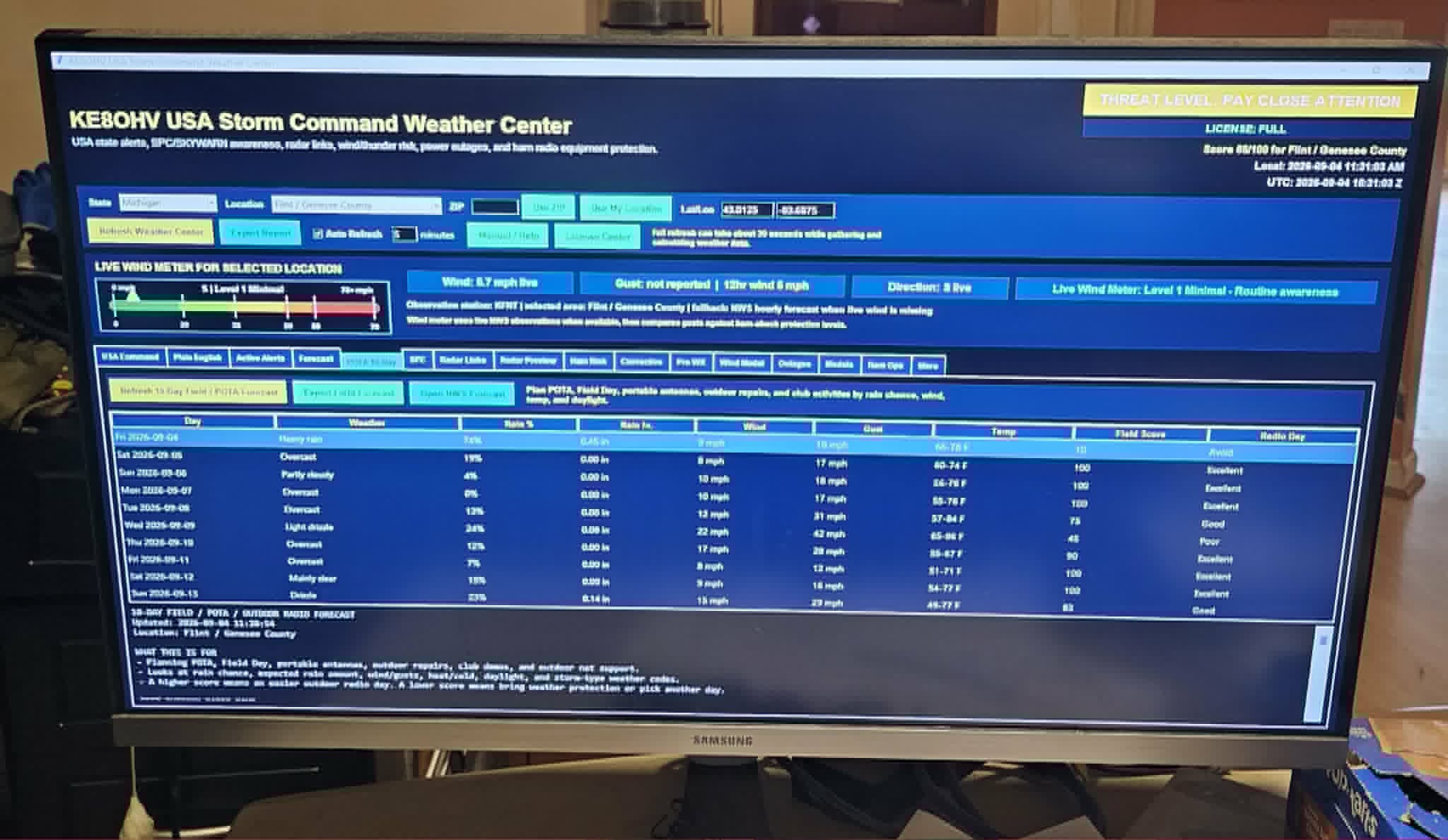
Main Threat-Level Dashboard
Shows threat level, location, live wind status, timestamps, forecast tabs, and ham-radio weather controls.
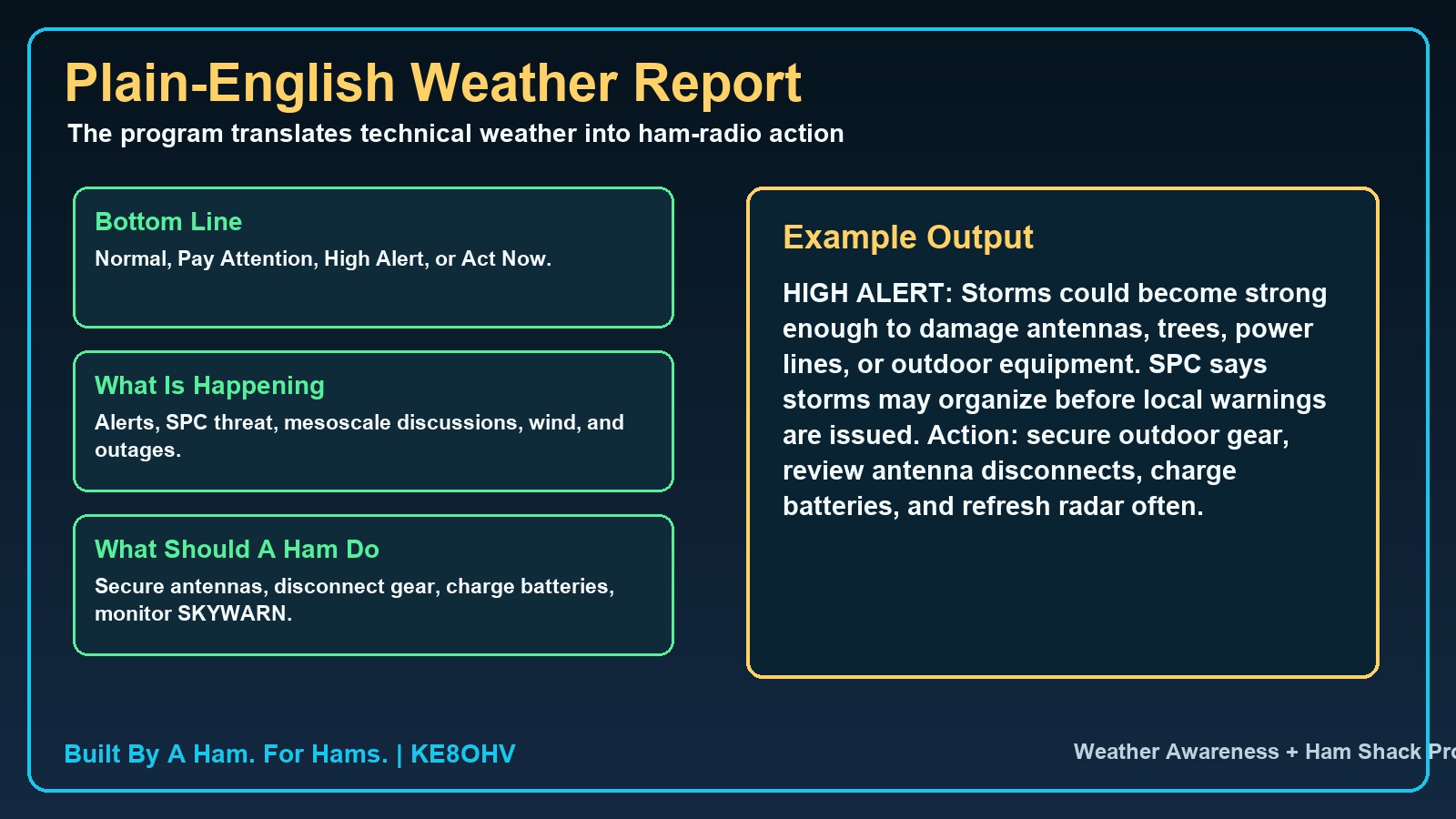 Plain English Report
Fast explanation for operators who need the station decision without reading raw weather products.
Plain English Report
Fast explanation for operators who need the station decision without reading raw weather products.
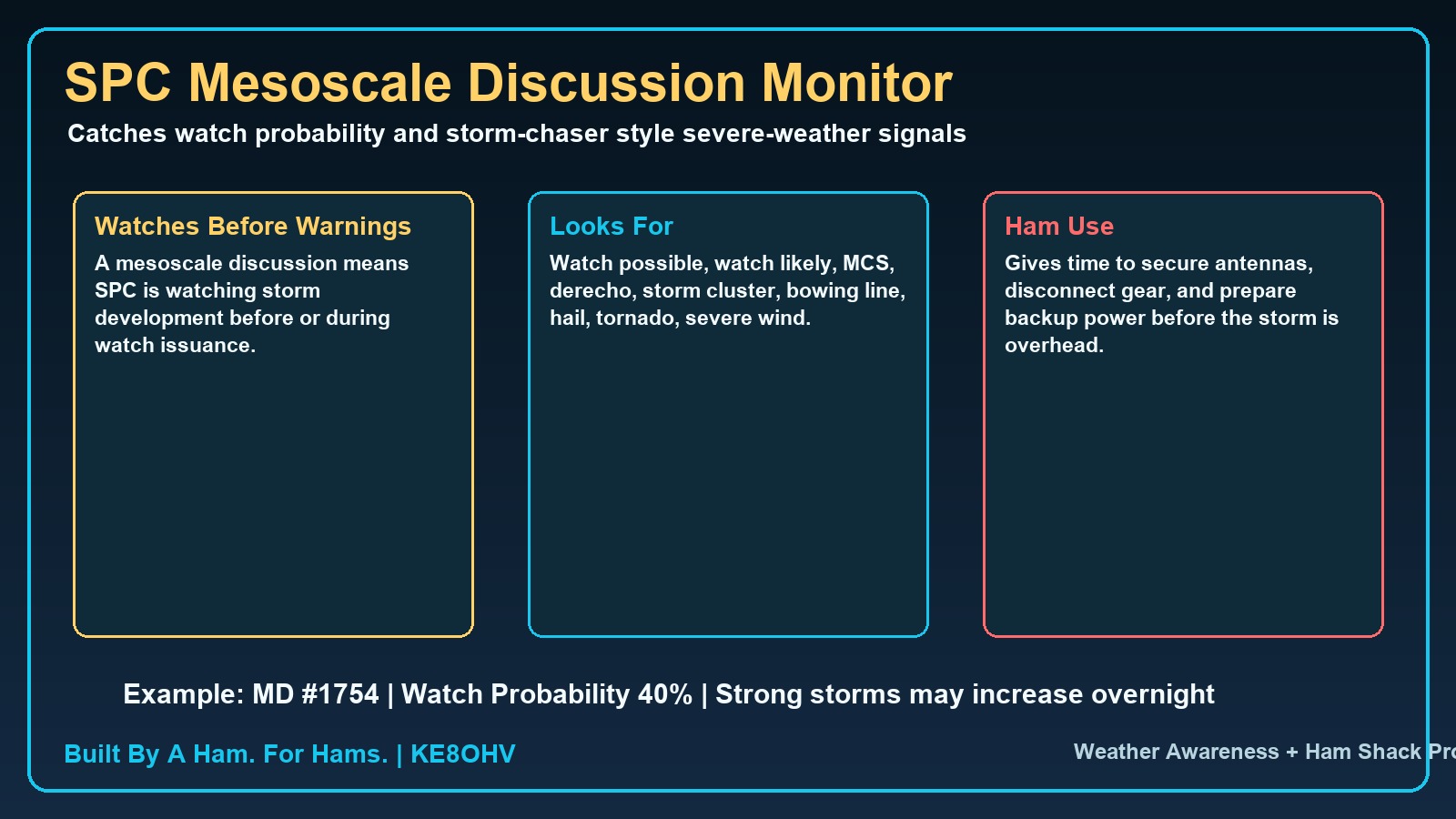 SPC + Mesoscale Awareness
Storm Prediction Center outlooks, watches, mesoscale discussions, and ham-radio threat interpretation.
SPC + Mesoscale Awareness
Storm Prediction Center outlooks, watches, mesoscale discussions, and ham-radio threat interpretation.
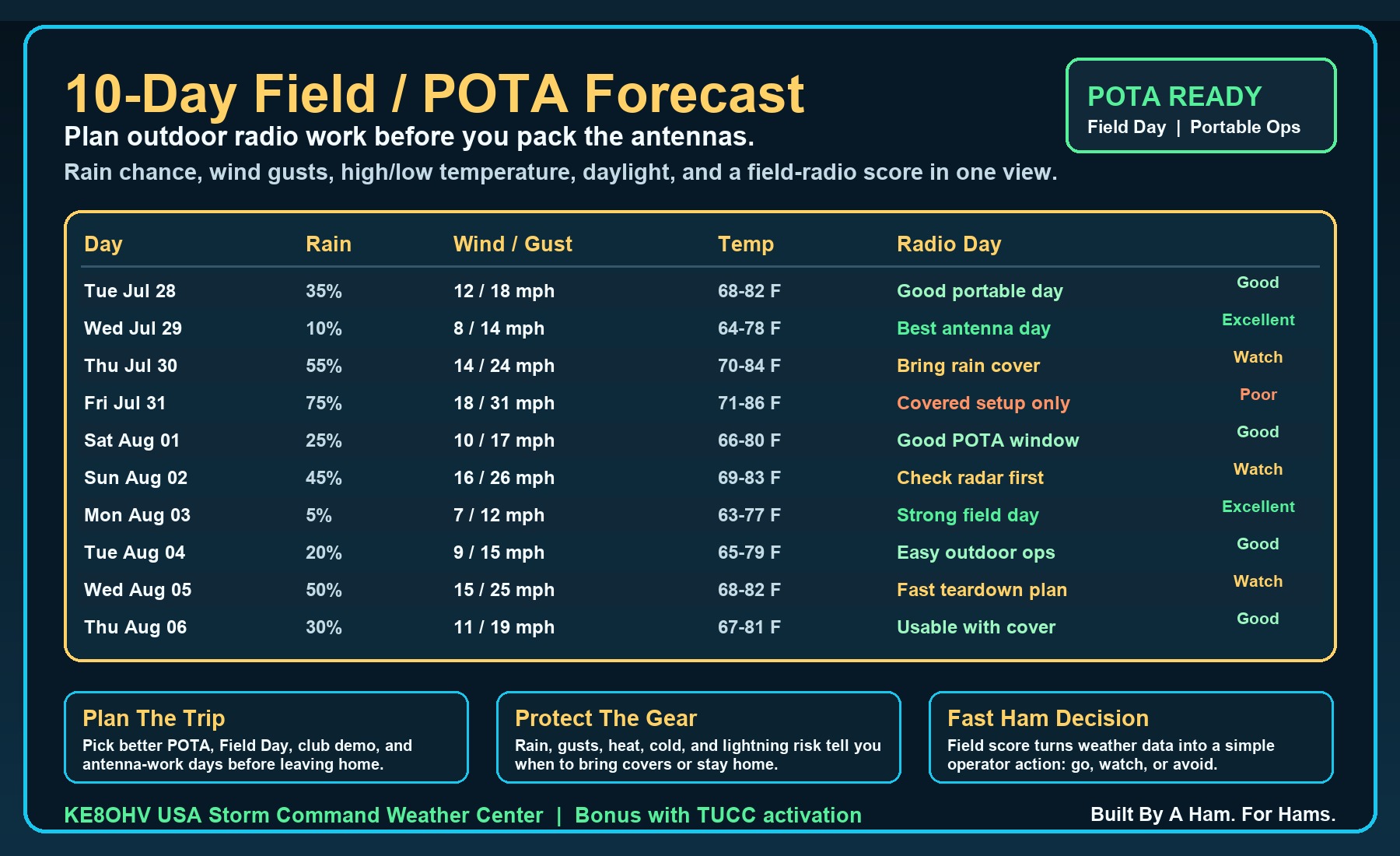 POTA 10-Day Planning
Outdoor radio planning for POTA, Field Day, club demos, antenna work, and portable net support.
POTA 10-Day Planning
Outdoor radio planning for POTA, Field Day, club demos, antenna work, and portable net support.
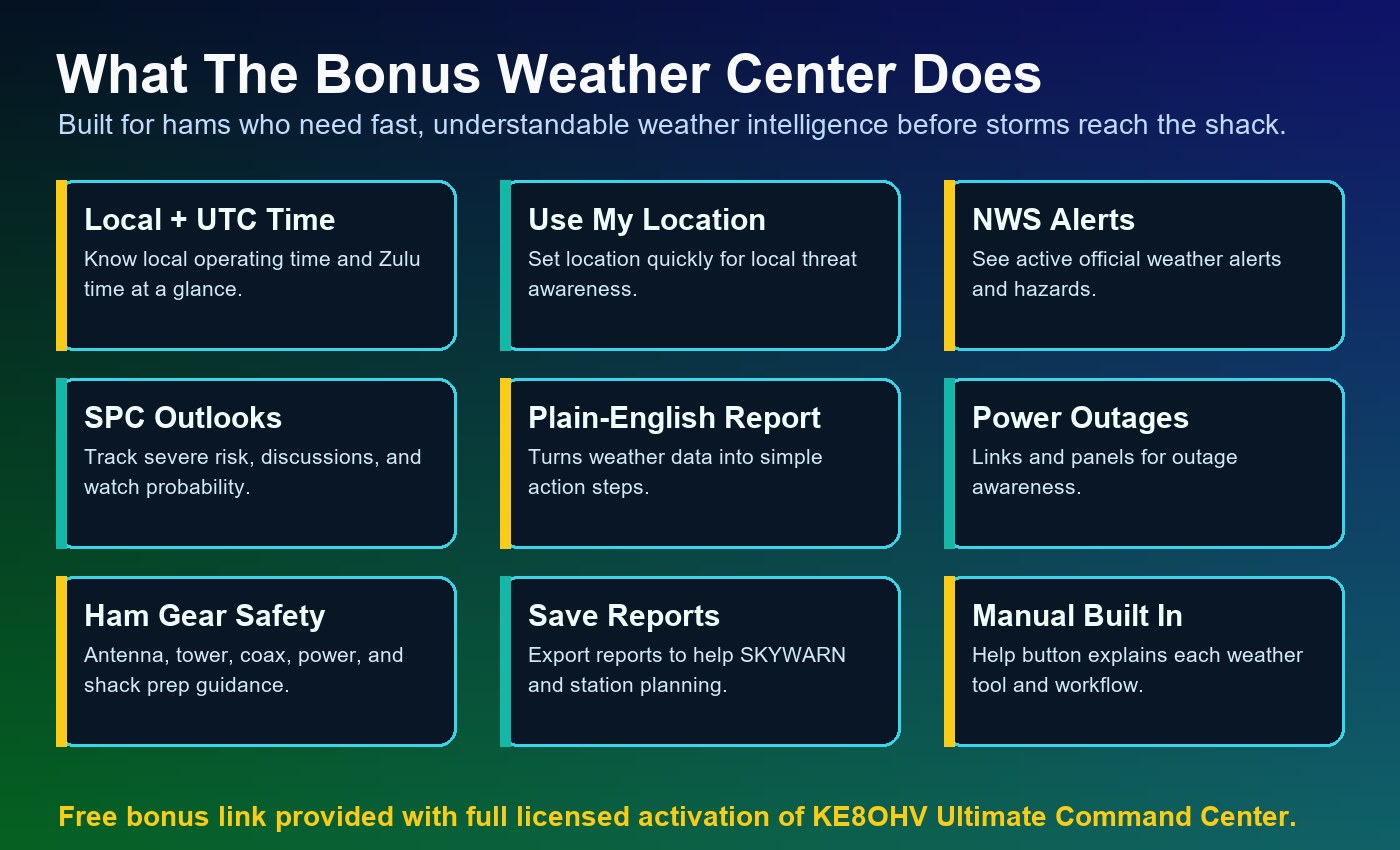 NWS Forecast + Humidity
Forecast, alerts, latest observation, humidity, dew point, and ham-shack comfort and static notes.
NWS Forecast + Humidity
Forecast, alerts, latest observation, humidity, dew point, and ham-shack comfort and static notes.
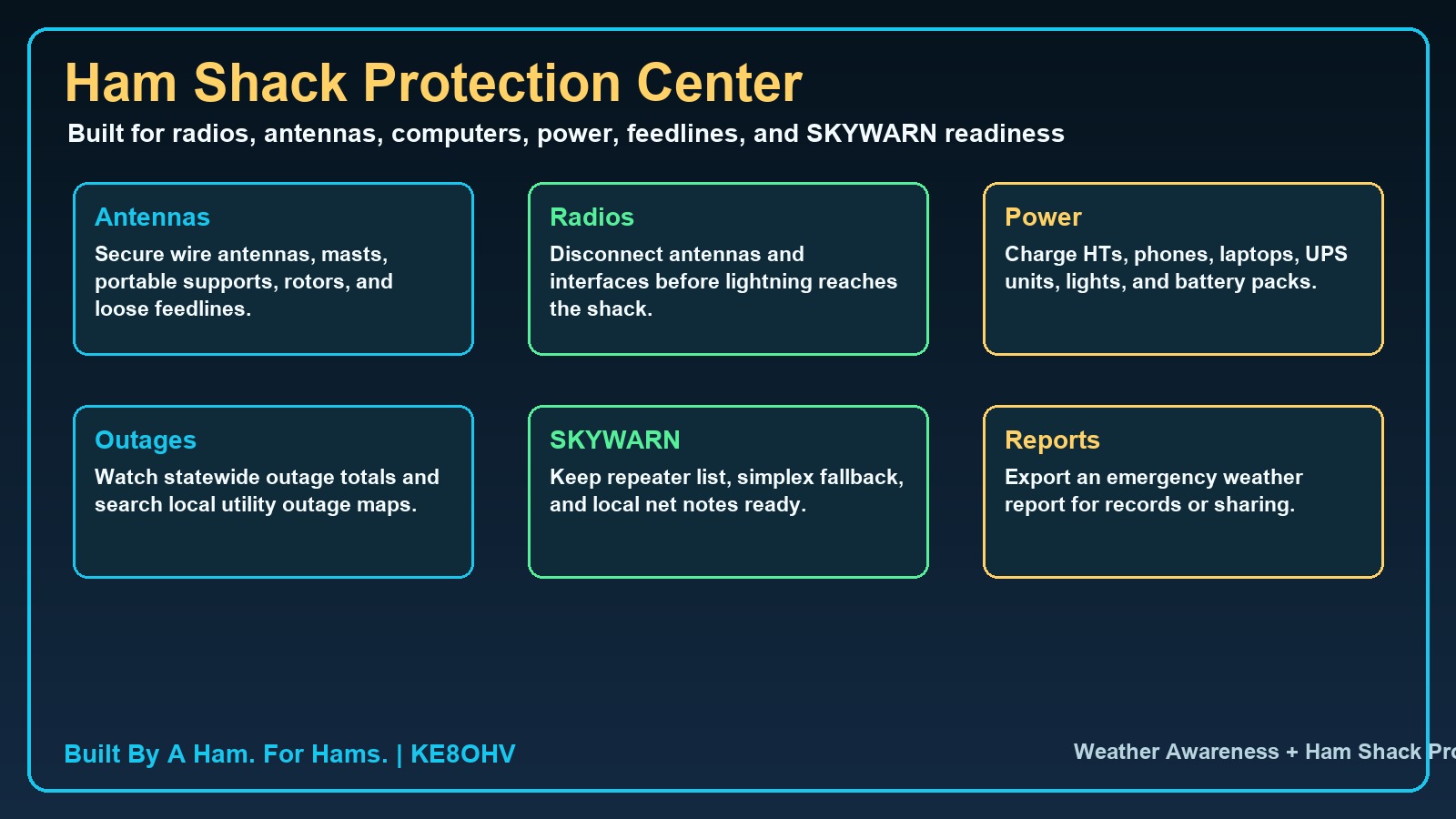 Station Protection
Helps hams think through antennas, radios, feedlines, computers, power gear, and outdoor equipment before storms arrive.
Station Protection
Helps hams think through antennas, radios, feedlines, computers, power gear, and outdoor equipment before storms arrive.
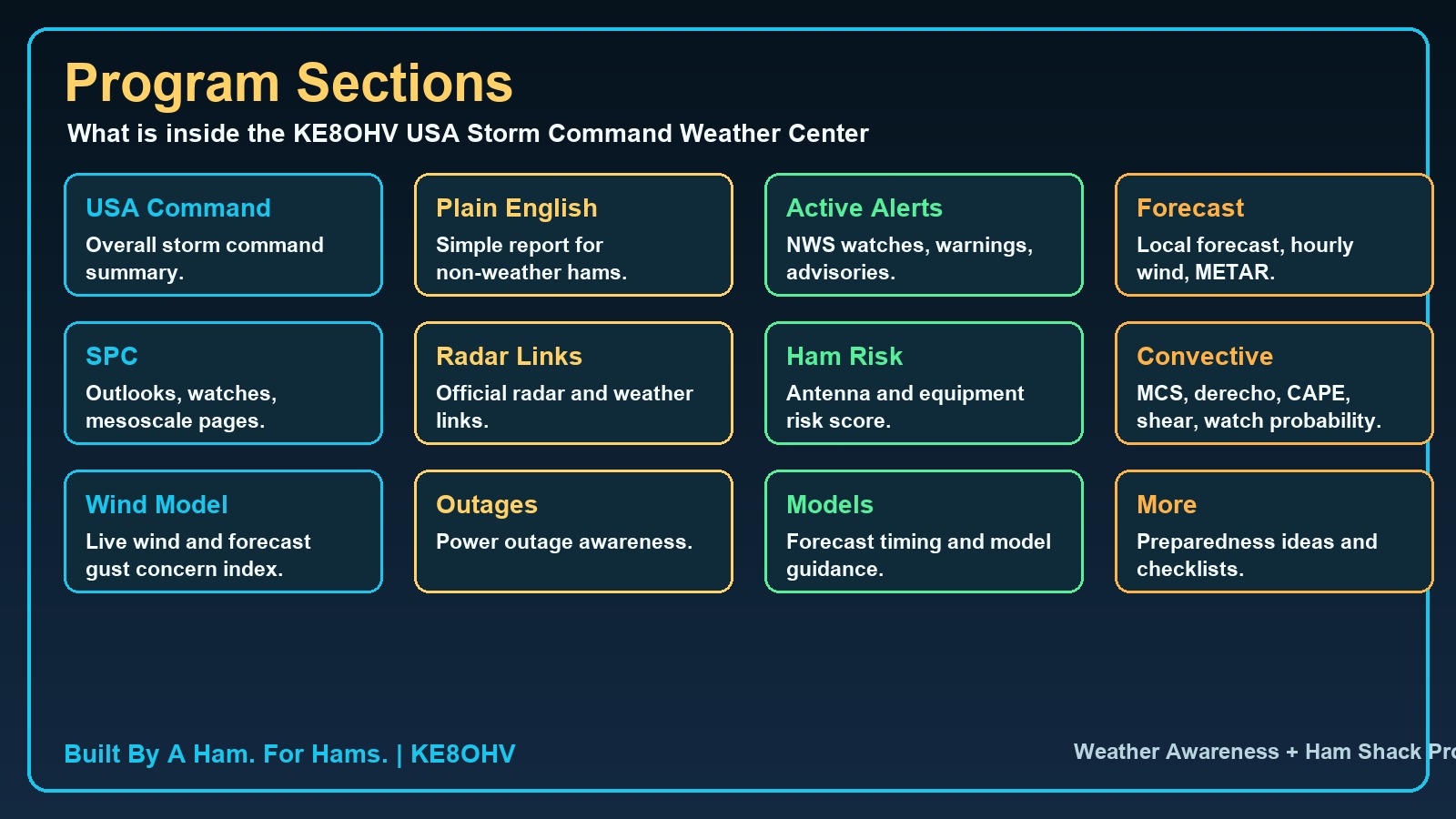 Program Sections
Shows the major program areas so hams can understand the full tool before activation.
Program Sections
Shows the major program areas so hams can understand the full tool before activation.
See what the Weather Center does before activation.
Because this program requires activation before use, this walkthrough gives hams a clear look at the main operating areas before they download and order it. Click any screenshot to enlarge it and inspect the details.
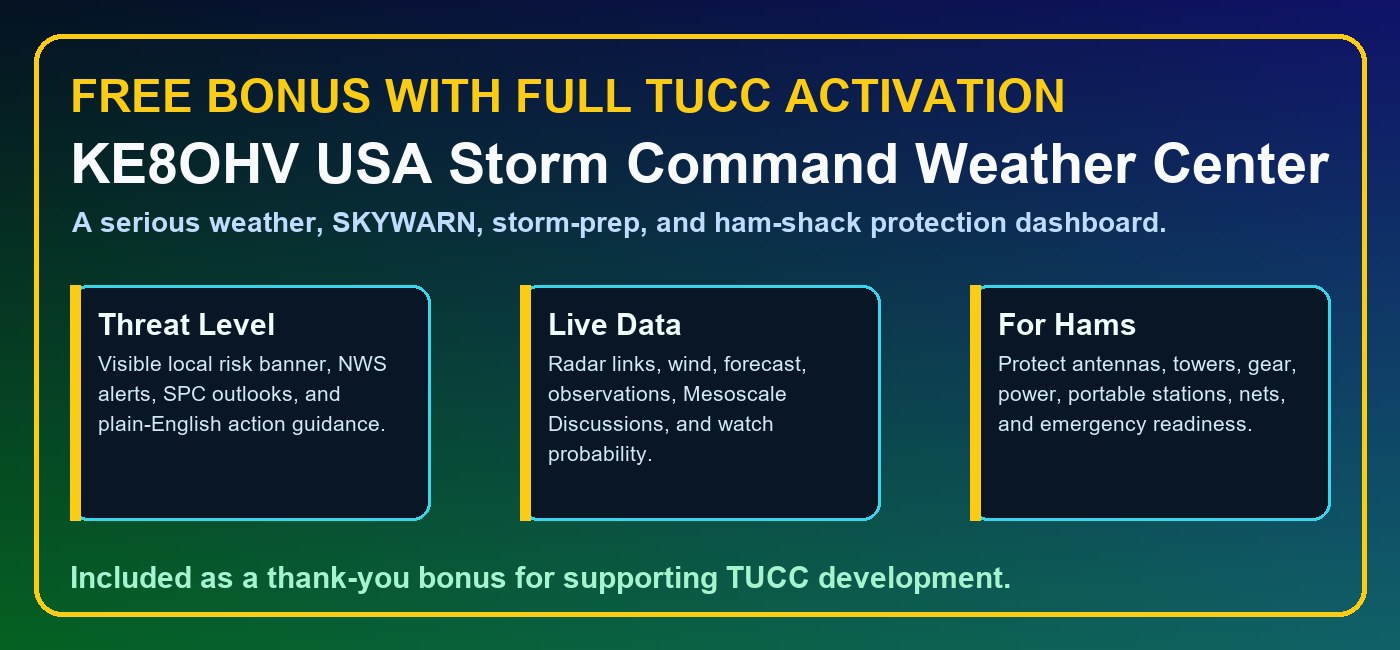
This is the sales preview for hams: they can see the program screens, read what each area does, open the PDF manual, and then download the $19.99 Weather Center package with confidence.
KE8OHV Net Control Check-In Logger for Hams Is Ready For Rollout Distribution.
Created first for the W8IRA Link System, now expanded for all hams, all nets, clubs, groups, emergency communication teams, traffic nets, and public service operations.
100% free for ham radio operators and net controllers.
This program is being released free to help fellow hams run cleaner nets, protect check-in records, create reports faster, and support emergency and traffic-net work.
Built By A Ham. For Hams. Created free for fellow ham radio net controllers by Ed Vernier, KE8OHV. 73, KE8OHV.
KE8OHV Net Control Check-In Logger For Blind And Eye-Impaired Hams.
This is a separate screen-reader-focused build for blind operators, eye-impaired operators, keyboard-only operators, and hams using JAWS, NVDA, Narrator, or other screen-reader software.
Download the blind and eye-impaired screen reader version from the button above. It is designed for real net control operation, not just a visual copy of the standard program.
The next TUCC direction is the Advanced Intelligence Center.
TUCC V2.3.5 Revision A remains the current working Windows release. TUCC Version 3 is the planned next major step: a smarter operating brain that helps guide hams through radio control, station decisions, support, troubleshooting, weather readiness, net operation, and everyday shack workflow.
The V3 goal is not to replace the trusted TUCC foundation. It is to grow the proven Command Center into a more guided, intelligent, operator-focused system while keeping the ham in control.
Mac, Linux, and tablet versions are part of the long-term vision.
KE8OHV Ultimate Command Center Windows Version 2.3.5 is the current release because Windows gives the strongest foundation today for serial CAT control, rig communication, local database support, installer packaging, and the advanced module system.
Future Mac, Linux, and tablet editions are a major development goal, but they require serious research, programming, testing, debugging, interface redesign, hardware testing, and cross-platform rig-control work. Donations and continued community support help fund that engineering effort while keeping the Windows version moving forward.
KE8OHV Ultimate Command Center V2.3.5 Revision A is provided with a 30-day trial so operators can install it, explore the features, test it in their own shack environment, and make sure it fits their operating needs.
After the 30-day trial period, continued use of the software requires a $50.00 support donation. Your donation helps support ongoing development, research, testing, improvements, documentation, accessibility features, and future versions of the Ultimate Command Center.
Donations also help make future expansion possible, including continued research, programming, and testing toward future cross-platform editions for Mac, Linux, and tablet users. The current release is focused on delivering the strongest Windows-based Command Center experience first, while support from the amateur radio community helps fund the work needed to bring this same level of capability to additional operating systems over time.
Thank you for supporting independent amateur radio software built by a ham, for hams.