FIELD DAY / POTA / EMCOMM READY

Ham radio command center built for real operating.

Portable stations, shack work, nets, logging, rig control, emergency prep, and ham-radio workflow in one Windows command center.

Portable HF POTA Field Day Net Control Station Workflow

Welcome QRZ Hams.

If you came from the QRZ ad, here is the short version: TUCC V2.3.5 Revision A is a Windows ham-radio command center with 38 program sections, a full 30-day trial, direct ham-to-ham support from KE8OHV, and a one-time $50 activation donation only after the trial.

How Much Have You Invested In Your Ham Shack? You invested in radios, antennas, tuners, amplifiers, coax, meters, power supplies, and station accessories. TUCC is the software command center that helps bring that investment together. Try the full program free for 30 days. Activation is only a $50 donation after the trial.
Free 30-Day Trial. No Payment Required. If TUCC helps your station, the one-time $50 activation donation supports continued research, development, testing, updates, ham-to-ham support, cross-platform planning, and future TUCC versions. The 30-day trial lets you test the full program first with no payment required.

Start Here In 3 Steps.

For hams who do not want to read a wall of text, this is the simple path.

1. DownloadGet the free 30-day trial from the official KE8OHV download link.
2. Open TUCCExplore the real dashboard and the 38 program sections in your own shack.
3. Ask for helpIf you get stuck, contact KE8OHV for ham-to-ham support.
Free 30-Day Full Trial

See What Your Ham Shack Has Been Missing.

TUCC V2.3.5 Revision A brings rig control, logging, FCC lookup, HF nets, weather, propagation thinking, station notes, inventory, learning tools, emergency tools, accessibility support, and ham-to-ham support into one Windows command center.

No payment firstDownload and test the full program before you decide.
38 program sectionsOne operating center instead of scattered ham-radio tools.
Real shack valueYour station investment deserves software that brings it together.
Support from KE8OHVHam-to-ham phone and remote help when appropriate.
No feature guessing. No payment required to test. $50 activation donation only after TUCC proves itself in your own shack.
QRZ Paid Ad Campaign Strong Enough To Market On QRZ. TUCC V2.3.5 Revision A is being promoted directly to the ham-radio community through a paid QRZ advertising campaign. KE8OHV is standing behind the program publicly, investing in real ham-radio exposure, and inviting operators to test the full 30-day trial for themselves.

Try TUCC In Your Shack Today. See Why Hams Are Downloading It.

Do not donate until TUCC proves itself on your own Windows shack computer. Download the full 30-day trial, open the real program, inspect the 38 program sections, and decide after you test it.

No payment to testFull 30-day trial before activation.
No feature guessingSee the real TUCC operating center yourself.
Ham-to-ham supportKE8OHV can help if you get stuck.
DOWNLOAD FREE 30-DAY TRIAL
38 Program Sections Ticker
01 Home Dashboard | 02 Program Manual | 03 Learning Center | 04 Training Resources | 05 Glossary | 06 Software Agreement | 07 SDR | 08 Broadcastify Listening | 09 Band Privileges | 10 Repeaters | 11 DX Center | 12 Digital Modes | 13 CW Center | 14 Ham Clock | 15 Locator Grid | 16 POTA / SOTA | 17 Satellite / ISS | 18 Weather Center | 19 Antenna Tools | 20 Rig Control | 21 QSO Logging | 22 Contest Logging | 23 FCC Lookup | 24 Equipment Inventory | 25 Awards | 26 Backup | 27 Accessibility | 28 Multi-Language | 29 Station Notes | 30 Net Notes | 31 Winlink | 32 APRS | 33 WSJT-X | 34 Log Sync | 35 Rotor / Beam Heading | 36 Support Tools | 37 Future Platforms | 38 Emergency SOS Location Beacon
Reviews And Trust Ticker
Real ham feedback, 30-day trial, KE8OHV support, and safety/trust notes for visitors.
Dennis KM4GJC, 5 stars: "I am very impressed with your hands-on response and the level of detail in the software. Looking forward to more time with it. Thanks again! 73's Dennis KM4GJC" | Paul Brown KB8PTL, 5 stars: "After 50 years in ham radio, I have never seen anything like TUCC. It is extremely powerful, brings so many station tools together in one place, and is an incredible value at a $50 activation donation." | Full 30-day trial with no payment required to test TUCC in your own shack | Activation donation is only $50 after the trial | KE8OHV has decades of IT, computer engineering, computer forensics, cyber security, and computer science experience | Google Drive may say it cannot scan very large installer files because of file size. Read Me First explains this, and KE8OHV scans the program before release | Built by a ham, for hams, with hands-on testing, corrections, and support | Hundreds of hams are visiting and downloading TUCC. Try it for yourself.
Heard On The Air From Fellow Hams
Many hams give feedback on the radio, by phone, or during support instead of writing a formal review.
Common on-air feedback themes: TUCC is much bigger than expected | This feels like a real ham-radio command center | 38 program sections is a serious shack toolset | Not just another logging program | One place for rig control, logging, FCC lookup, HF nets, weather, inventory, learning, accessibility, and emergency tools | The free 30-day trial makes it easy to test first | The $50 activation donation is strong value after seeing what is included | Ham-to-ham support from KE8OHV matters | Older and visually impaired operators appreciate large buttons, voice support, and guided workflow | If TUCC gave you that wow reaction, please leave a short review so other hams can hear it too.

Ham World Clocks

UTC / Zulu--:--
Eastern--:--
Central--:--
Pacific--:--
London--:--
Germany--:--
Japan--:--
Australia--:--

Current HF Propagation + Space Weather

Band WindowReadyPress Refresh Propagation for current ham guidance.
HF OutlookStandbyGuidance updates on this page without sending hams away.
UpdatedManualSolar-terrestrial values are shown below.
Current solar terrestrial data, HF band conditions, solar flux, sunspot number, A index, K index, X-ray and VHF conditions
160m--Night / local noise dependent
80m--Night and regional nets
40m--Day regional / night DX
30m--CW/digital friendly
20m--Prime daylight DX band
17m--Often opens with daylight
15m--Solar activity dependent
12m--Higher-band openings
10m--Best with stronger solar conditions
6m--Magic band / sporadic-E
Refresh updates the guidance instantly on this page.

TUCC brings weather, space-weather thinking, HF nets, DX tools, and band planning into one command center instead of sending operators across a stack of websites.

KE8OHV ULTIMATE COMMAND CENTER V2.3.5 Revision A
Advanced Amateur Radio Operations + Engineering Environment
Built By A HAM, For HAMS!
Your entire ham shack in one Windows command center. Try the full program for 30 days before activation.
(C) 2026 KE8OHV Ultimate Command Center. All Rights Reserved. KE8OHV Ultimate Command Center(TM)
Built By A HAM, For HAMS!

Stop jumping between ten different ham radio programs, for good.

Try the complete KE8OHV Ultimate Command Center free for 30 days. No payment required to test. If it helps your station, activation is a $50 donation after the trial.

Why Activation Support Matters

TUCC took thousands of hours of research, design, testing, rebuilding, and real ham-radio workflow planning. Many hams spend thousands of dollars on radios, antennas, tuners, amplifiers, and station hardware. TUCC is the software command center that helps bring those tools together.

Free 30-Day Trial. No Payment Required. If TUCC helps your station, activation support is a one-time $50 donation after the trial.

QRZ campaign trust note: TUCC is now being promoted through a paid QRZ ham-radio advertising campaign. KE8OHV is putting the program in front of real operators and standing behind the full 30-day trial publicly.

Full 30-Day Trial - No Feature Restrictions Download the Windows installer, test TUCC in your own shack, and decide after you have used it. Free 30-Day Trial. No Payment Required. If TUCC helps your station, activation support is a one-time $50 donation after the trial.
No payment to tryFull access during the 30-day trial.
Safe Windows installerRead install notes before opening setup.
Built by KE8OHVSupport, manual, and walkthrough included.
30-Day TrialTry before activation
$50 DonationOnly after the trial
WindowsInstaller and desktop shortcut
Universal Live Radio Display
RX READY
14.250000
MODE USB
SignalS7
Power Set85
QSO + FCC
Weather
HF Nets
Repeaters
Inventory
Awards

Click through all 38 real V2.3.5 Revision A program screens.

This section uses newly captured real screenshots from all 38 TUCC program sections. Visitors can click through every section clearly instead of watching a fuzzy compressed video.

38 Program Sections Ticker
01 Home Dashboard   |   02 Program Manual   |   03 Learning Center   |   04 Training Resources   |   05 Glossary   |   06 Software Agreement   |   07 SDR   |   08 Broadcastify Listening   |   09 Band Privileges   |   10 2 Meter Repeaters   |   11 DX Center   |   12 Digital Modes   |   13 CW Center   |   14 Ham Clock   |   15 Locator Grid   |   16 POTA / SOTA   |   17 Satellite / ISS   |   18 Weather Center   |   19 Antenna Tools   |   20 Rig Control   |   21 QSO Logging   |   22 Contest Logging   |   23 FCC Lookup   |   24 Equipment Inventory   |   25 Awards   |   26 Backup   |   27 Accessibility   |   28 Multi-Language   |   29 Station Notes   |   30 Net Notes   |   31 Winlink   |   32 APRS   |   33 WSJT-X   |   34 Log Sync   |   35 Rotor / Beam Heading   |   36 Support Tools   |   37 Future Platforms   |   38 Emergency SOS Location Beacon
Reviews And Trust Ticker
Real ham feedback, 30-day trial, KE8OHV support, and safety/trust notes for visitors.
Dennis KM4GJC, 5 stars: "I am very impressed with your hands-on response and the level of detail in the software. Looking forward to more time with it. Thanks again! 73's Dennis KM4GJC" | Paul Brown KB8PTL, 5 stars: "After 50 years in ham radio, I have never seen anything like TUCC. It is extremely powerful, brings so many station tools together in one place, and is an incredible value at a $50 activation donation." | Full 30-day trial with no payment required to test TUCC in your own shack | Activation donation is only $50 after the trial | KE8OHV has decades of IT, computer engineering, computer forensics, cyber security, and computer science experience | Google Drive may say it cannot scan very large installer files because of file size. Read Me First explains this, and KE8OHV scans the program before release | Built by a ham, for hams, with hands-on testing, corrections, and support | Hundreds of hams are visiting and downloading TUCC. Try it for yourself.
TUCC V2.3.5 Revision A real operating dashboard screenshot
Screen 1 of 38

Real Operating Dashboard

The first screen hams open in TUCC V2.3.5 Revision A.

Open Interactive Walkthrough
These are fresh real screenshots from all 38 program sections, not a compressed video. Use Previous, Next, the section buttons, or Enlarge Current Screen to inspect details clearly.
Built to earn your download

See the proof before you install.

Hams want to know if software is stable, understandable, safe, and useful at the operating desk. This page now answers those questions directly.

Why TUCC is different

Most ham radio programs do one job. KE8OHV Ultimate Command Center brings the operating desk together in one Windows command center.

  • Rig control and CAT setup guidance
  • FCC callsign lookup, QSO logging, and contest support
  • HF nets, weather, antenna engineering, and shack diagnostics
  • Equipment inventory, learning tools, accessibility, and multi-language support

V2.3.5 Revision A proof

This release was built around real fixes, live testing, and easier operation for hams who need a cleaner all-in-one station tool.

Rev AV2.3.5 Revision A update released
Website CheckedWebsite and download path verified
Radio TestedKenwood TS-2000 COM3 at 57600
Logger ImprovedDistance and azimuth added

Supported radio and CAT control guide

TUCC V2.3.5 Revision A is designed to guide hams through radio setup, CAT control planning, saved rig profiles, COM port choices, baud rates, cable/interface checks, and common rig-control helper tools. Actual control depends on the radio model, firmware, cable, driver, and the operator's station settings.

Live-tested radio

Kenwood TS-2000

Verified in the V2.3.5 Revision A test cycle with COM3 at 57600 baud.

Confirmed test: TS-2000 style CAT workflow.
Designed support

Kenwood CAT Family

Guided setup for popular Kenwood CAT command workflows, saved rig profiles, COM port planning, and baud-rate checks.

Models shown: TS-2000, TS-590S/SG, TS-480, TS-890, TS-990, TS-870, TS-570, TS-440, TS-450, TS-850, TS-950.
CI-V guidance

Icom CI-V Family

CI-V address, baud-rate, USB driver, and interface planning for common Icom operating stations.

Models shown: IC-7300, IC-7610, IC-7600, IC-705, IC-9700, IC-7100, IC-7200, IC-7000, IC-756PRO, IC-746PRO, IC-718.
CAT guidance

Yaesu CAT Family

CAT setup help for Yaesu menu settings, USB drivers, COM ports, saved profiles, and station-specific testing.

Models shown: FT-991A, FTDX10, FTDX101D/MP, FTDX3000, FTDX1200, FT-950, FT-450D, FT-891, FT-857D, FT-897D, FT-817/818, FT-1000, FT-2000.
Premium rigs

Elecraft + FlexRadio

Station planning guidance for advanced radios, network/control software, virtual serial ports, and saved operating profiles.

Models shown: Elecraft K4, K3/K3S, KX3, KX2; FlexRadio 6000 series using SmartSDR CAT planning.
More station rigs

Alinco / AnyTone / Ten-Tec / More

Guided planning for additional rigs where model-specific CAT behavior should be checked with the operator's own radio, cable, and interface.

Examples shown: Alinco DX-SR8/SR9, AnyTone AT-D578 style station use, Ten-Tec Omni/Jupiter/Orion families, and other CAT-capable radios.
Integration helpers

OmniRig / FLRig / Hamlib / Commander

Planning support for operators who use external rig-control helpers, digital-mode programs, virtual COM ports, or shared station workflows.

Used for: CAT routing, virtual serial ports, digital-mode station planning, and troubleshooting when more than one program wants radio control.
Important setup note

Operator station verification

The program helps guide setup, but final control must be verified on the ham's own radio, firmware, driver, cable, COM port, and baud-rate settings.

Best practice: confirm receive-only status first, then test CAT readback before using control buttons.
Model names are listed so hams can quickly recognize their radio family. Radio control support can vary by firmware, cable/interface, Windows driver, COM port assignment, radio menu settings, and whether another program is already using the port.

What TUCC replaces at the operating desk

Operating NeedKE8OHV TUCC V2.3.5 Revision ATypical Separate Tools
Rig/CAT controlBuilt into the command centerSeparate rig-control program
FCC lookup and QSO loggingOne contest-focused workflowSeparate browser lookup and logger
HF nets and quick tuneAvailable from the same station hubSeparate notes, websites, or spreadsheets
Weather and station awarenessWeather tools and alert status in one placeSeparate weather website or app
Antenna and shack helpAntenna lab, diagnostics, routing, and learning toolsScattered references and calculators
AccessibilityVoice feedback, one-click menu view, and clearer navigationOften not included
Multi-language supportBuilt into V2.3.5 Revision AUsually English-only

Easy First Run

Watch the walkthrough, read the install notes, then open the program and pick the module you need.

Operator Control

Rig control is guided. You choose the radio, COM port, baud rate, and when to connect.

Logs Stay Local

QSO and contest data are saved on the user's Windows computer for backup and export.

Accessibility First

Voice feedback, larger menu access, and clearer navigation help blind and low-vision hams.

Ready to inspect it yourself?

Watch the walkthrough, read the install notes, then download V2.3.5 Revision A.

STOP JUMPING BETWEEN 10 DIFFERENT HAM RADIO PROGRAMS!

What if your rig control, FCC lookup, QSO logging, weather center, HF nets tools, antenna resources, station management tools, and learning center were all available in one place?

Introducing KE8OHV The Ultimate Command Center V2.3.5 Revision A.

Built by a ham, for hams.

The Ultimate Command Center was designed to eliminate the frustration of constantly switching between multiple programs, websites, databases, and utilities during your operating session.

Imagine sitting down at your station and having:

Advanced Rig Control

Instant FCC Callsign Lookup

QSO Logging and Contest Support

Distance and Azimuth Tracking

Weather Monitoring

HF Nets Tools

Equipment Inventory

Antenna Lab Resources

Learning and Reference Centers

Multi-Language Support

All available from a single Command Center.

Free 30-Day Trial. No Payment Required. If TUCC helps your station, activation support is a one-time $50 donation after the trial.

Why Activation Support Matters

TUCC took thousands of hours of research, design, testing, rebuilding, and real ham-radio workflow planning. Many hams spend thousands of dollars on radios, antennas, tuners, amplifiers, and station hardware. TUCC is the software command center that helps bring those tools together.

The 30-day trial is free and unrestricted so you can test it first. If TUCC earns a place in your shack, the one-time $50 activation donation helps support continued development, updates, and ham-to-ham support.

NEW Accessibility Improvements

Version 2.3.5 Revision A introduces an enhanced menu system that displays all major program sections on one screen with a single button press, making navigation faster and easier for all operators, including visually impaired and accessibility-focused users.

Whether you're chasing DX, running a net, contesting, experimenting with antennas, or simply enjoying a night on the air, the Ultimate Command Center was built to help make operating easier, faster, and more enjoyable.

Download the full-featured 30-Day Trial today and see why operators are discovering a new way to manage their entire ham shack from one Command Center.

Please go to my website to see it in action and download it, today! WWW.KE8OHV-TUCC.COM

Built for real operating, not just one small task.

This is not another single-purpose ham utility. It is a full operating center designed to keep the operator inside one organized workflow.

Rig Control Center

Direct CAT control, live frequency display, band jump controls, S-meter view, COM recovery guidance, OmniRig, FLRig, Hamlib, and virtual COM planning.

CATCOM HelpTelemetry

QSO + FCC Lookup

Log contacts, use local FCC database lookup, save contest backups, restore worked contests, and keep operating records organized.

FCC DataContest LogsBackups

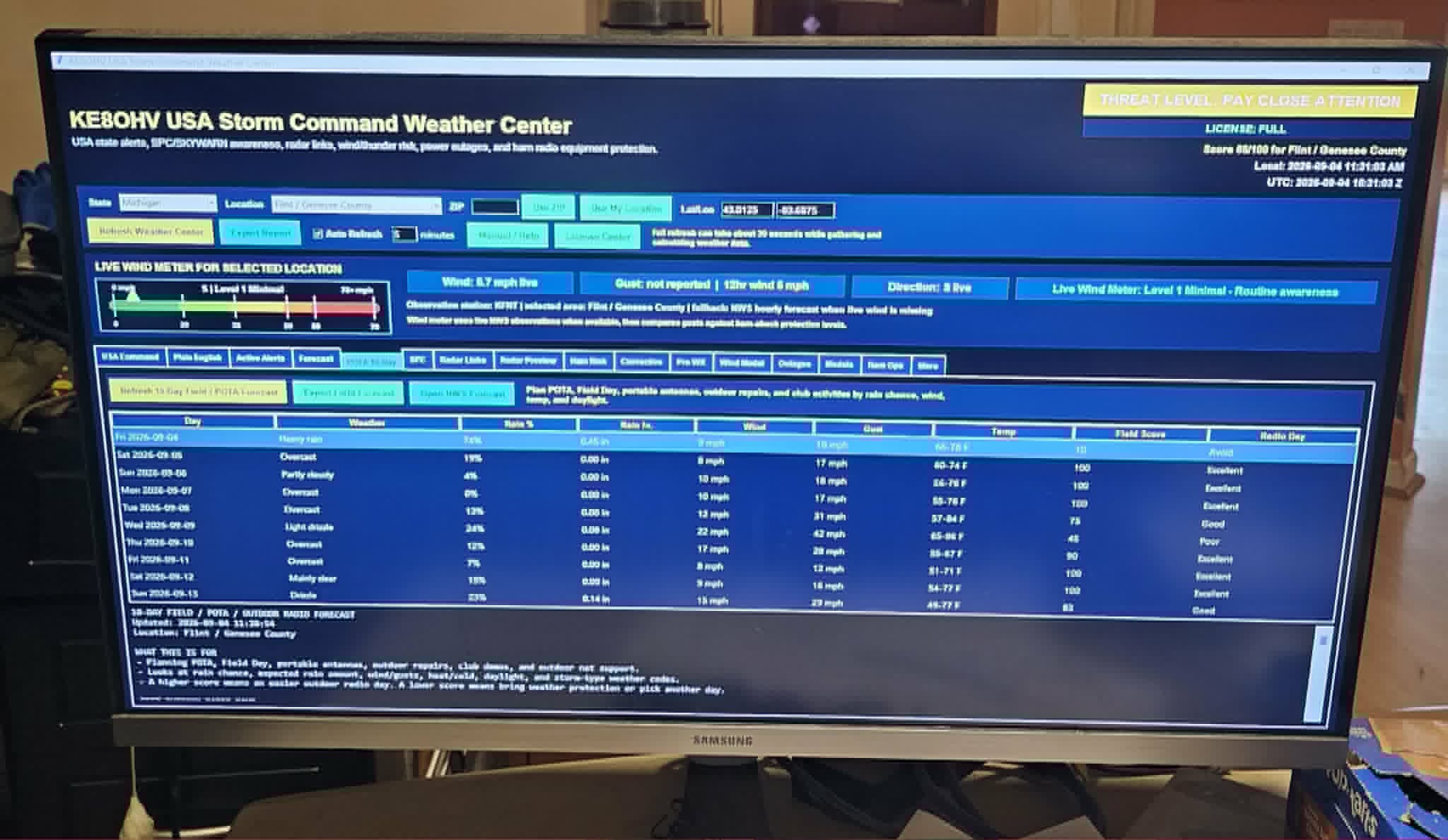
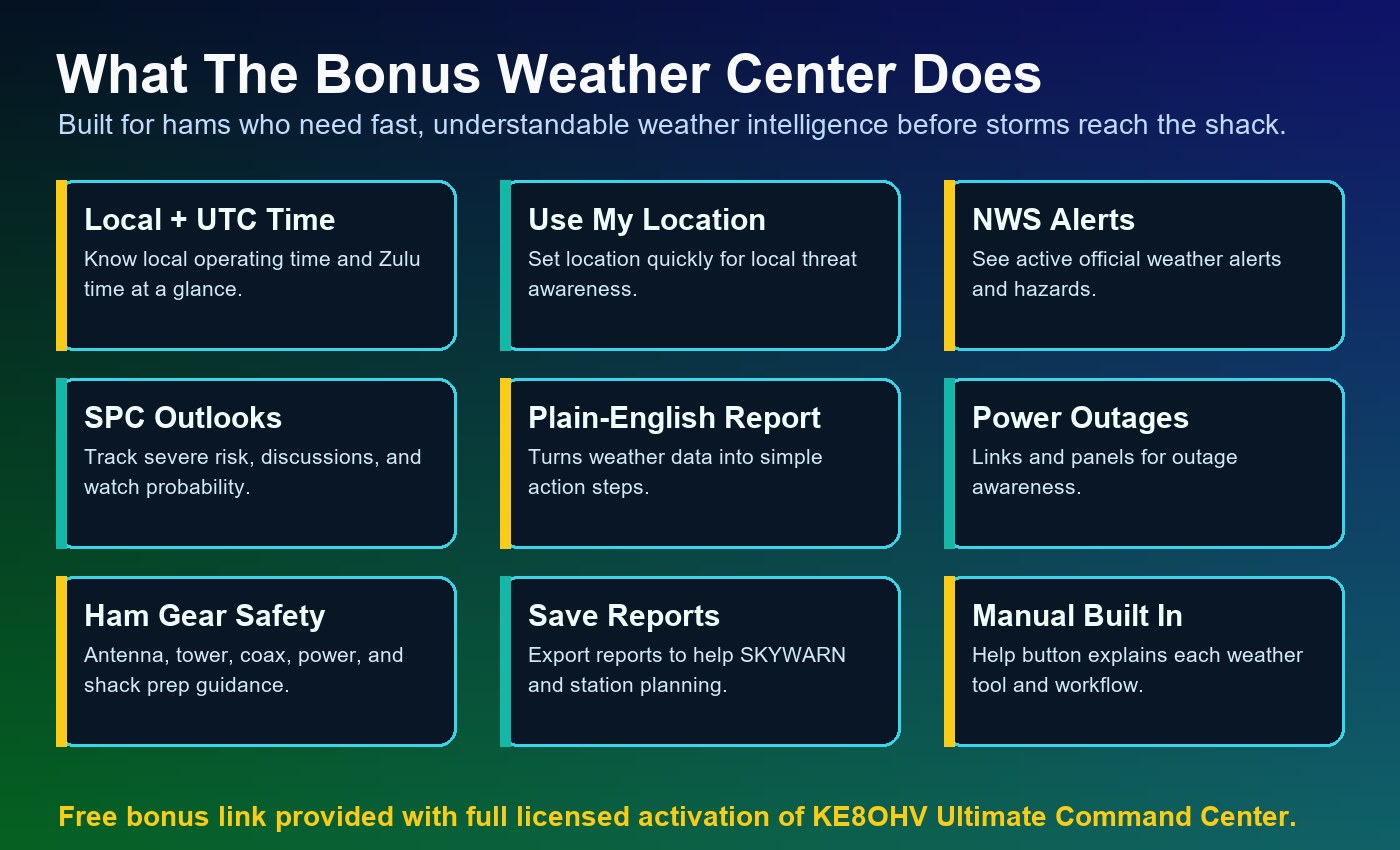
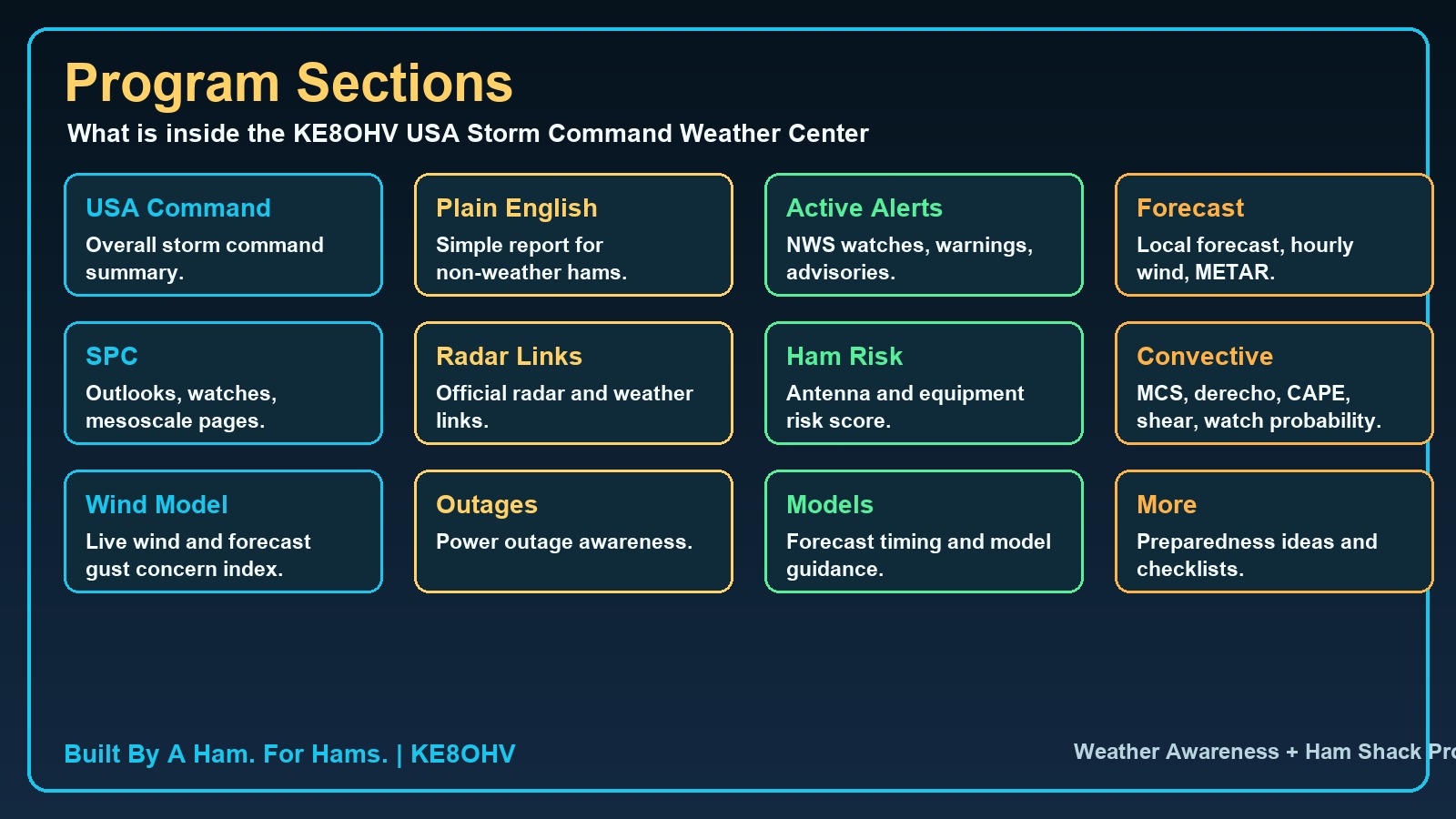
Weather + Alerts

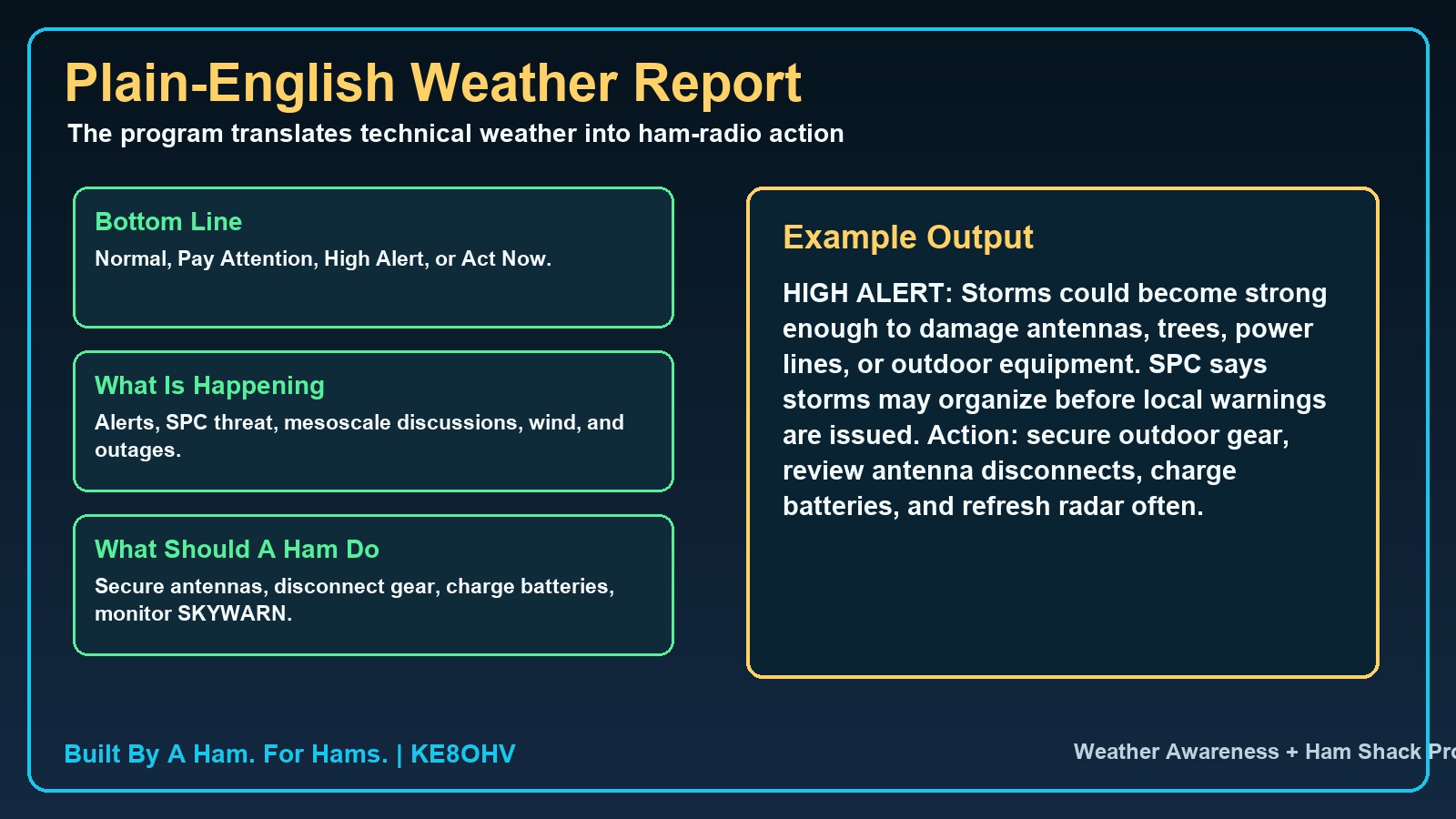
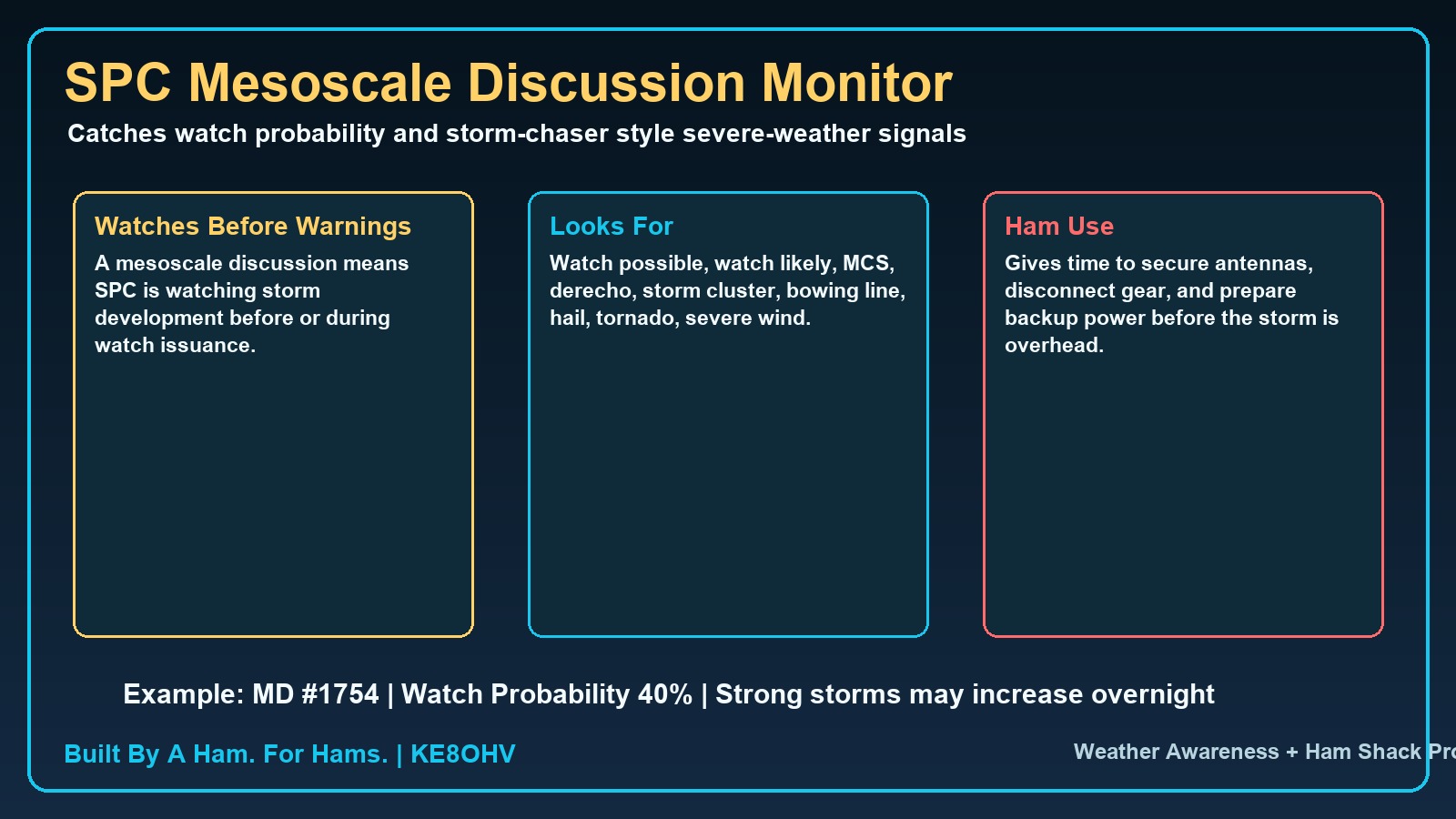
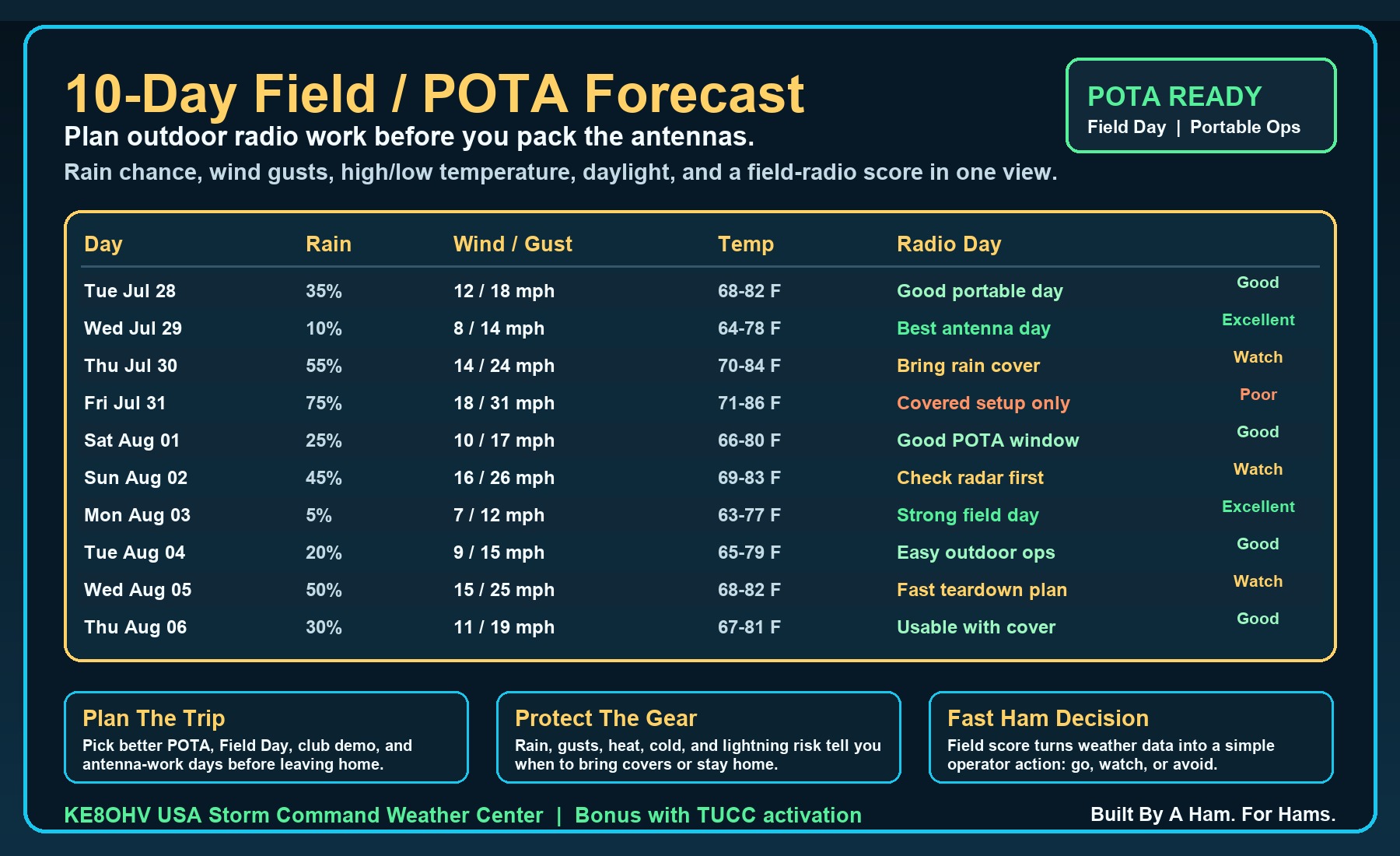
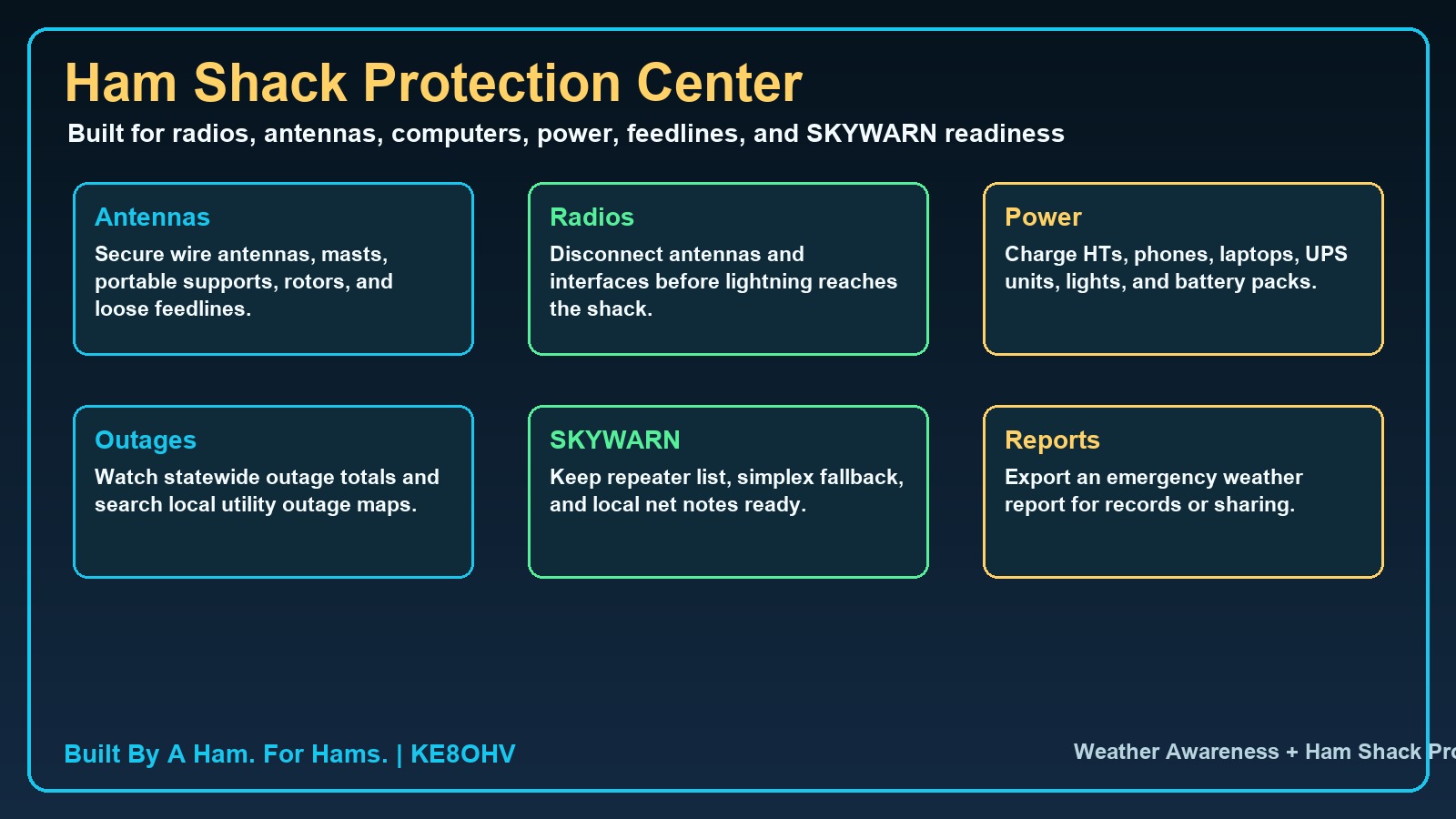
Weather Center, local alert status, floating alert strip, field-day risk thinking, antenna work reminders, and weather-aware operating.

AlertsField DayPortable Safety

HF Nets + Quick Tune

Net management, active net display, custom nets, saved notes, and quick tuning workflow for regular operating sessions.

NetsQuick TuneNotes

Antenna + Station Tools

Antenna lab, calculators, routing, installation safety, coax/feedline helpers, grounding reminders, and station troubleshooting.

Antenna LabRoutingSafety

Learning + Program Manual

A full searchable manual with voice-readable sections, training resources, glossary, Q-codes, setup instructions, and operator guidance.

ManualQ-CodesTraining

Deep feature breakdown.

Everything below is part of the product story: the Command Center is meant to replace scattered tools with one serious operating environment.

Live radio display, S-meter, band jumps, tune controls, direct CAT workflow, CAT recovery, and setup helpRig Control
Local FCC lookup, QSO logging, contest backup folders, restore worked contests, CSV / ADIF export planningLogging
HF nets, active net status, custom net notes, quick tune, DX tools, PSKReporter, DXMaps, DXHeat, digital mode helpersOperating
2 meter repeater database, local repeater search, VHF planning, repeater log view, travel and emergency radio helpVHF / UHF
Weather Center, local weather alerts, floating alert strip, space weather, HF radio blackout awarenessWeather
Antenna calculators, coax helpers, station routing, rotor/beam heading, grounding, RF and installation safetyEngineering
Inventory, manuals, photos, serial numbers, warranties, maintenance, awards, confirmations, master log syncStation Admin
Voice feedback, readable controls, program manual reading, helper notes, glossary, Q-codes, and training resourcesAccessibility

Ham Radio Software Search Topics Covered By TUCC V2.3.5 Revision A

Operators searching for amateur radio software often look for one tool at a time: rig control, logging, FCC lookup, repeater tools, antenna calculators, weather, digital modes, or station organization. KE8OHV Ultimate Command Center V2.3.5 Revision A brings those shack workflows together in one Windows-based command center.

ham radio softwareamateur radio softwareWindows ham radio softwareham shack command centerrig control softwareradio CAT controlCAT control softwareKenwood CAT controlIcom CI-VYaesu CAT controlAnytone radio toolsOmniRigFLRigHamlibvirtual COM portQSO loggingham radio logging softwarecontest loggingFCC callsign lookupFCC database lookupHF netsHF net loggerDX toolsPSKReporterDXMapsDXHeatFT8 helperWSJT-X helperFLDIGI helperdigital modesWinlink helperemergency communicationsspace weatherham radio weatherweather alerts2 meter repeatersrepeater finderVHF repeater lookupUHF repeater lookupRepeaterBook style toolsantenna calculatorantenna design softwarecoax calculatorfeedline toolsrotor beam headingstation inventoryequipment inventoryham radio awardsradio programming helperham radio trainingprogram manualQ-codesblind ham radio softwareaccessible ham radio softwarevoice feedback ham radioKE8OHVTUCCUltimate Command Center

From startup to operating, the program guides the ham.

The website should make one thing obvious: this is not a folder of tools. It is a complete operating environment that helps the user move through the shack workflow with confidence.

The first five minutes tell the story.

A new operator opens the Command Center, turns on voice help if needed, reads the manual, connects a radio, checks weather, logs a contact, looks up FCC data, finds repeaters, and learns how to keep the station organized.

1
Open one clean dashboard

Card-style menus, status panels, local/UTC awareness, weather alert strip, license status, and voice feedback.

2
Connect the station

Radio brand/model, COM port, baud rate, CAT help, virtual COM guidance, OmniRig, FLRig, Hamlib, and recovery tools.

3
Operate without leaving the program

HF nets, DX tools, QSO logging, FCC lookup, weather, repeaters, antennas, awards, and station inventory.

4
Learn as they go

The built-in manual, helper notes, voice reading, training resources, glossary, and Q-codes reduce confusion and support calls.

Command matrix.

Every major ham radio operating area has a home inside the Command Center.

Rig Control + CAT SetupLive Station
QSO Logging + Local FCC LookupRecords
HF Nets + Quick TuneOperating
Weather + Space WeatherSafety
2 Meter RepeatersLocal VHF
DX Center + Digital ModesDX / Data
Antenna Lab + Rotor HeadingEngineering
Inventory + Awards + Log SyncStation Admin

Built for club presentations, demos, and serious operators.

The advanced walkthrough gives ham radio clubs, emergency groups, and individual operators a section-by-section preview of the full Command Center experience before installation.

Open Full Walkthrough
One InstallerWindows setup, license agreement, desktop shortcut, launch-after-install option.
One ManualStep-by-step help for the entire program with voice-readable sections.
One Shack HubOperate, learn, log, monitor, organize, and troubleshoot from one place.
One MissionGive hams a command center they do not want to operate without.

Guided program walkthrough.

This guided walkthrough lets visitors explore the Command Center section by section before installing. It shows how the main menus, rig control, logging, weather, repeaters, antenna tools, learning resources, and accessibility features fit together as one complete ham shack operating system.

KE8OHV Command Center Demo Tour

Main Command Center

Start at the main operating dashboard, where every major tool is organized into card-style menus.

    Open Full Walkthrough

    Program Operation Menus

    Dashboard
    New in KE8OHV Ultimate Command Center V2.3.5 Revision A

    Check out what upgrades are in TUCC V2.3.5 Rev A.

    Your entire ham shack, one command center. Revision A strengthens the program with better navigation, multi-language support, accessibility-focused controls, expanded station tools, and a cleaner path for operators already running V2.3.5.

    New in Rev AMulti-Language Support

    Website and program areas are built to support more operators in their selected language, helping TUCC reach hams beyond English-only screens.

    New in Rev AAccessibility Navigation

    One-click program menus, larger section buttons, voice controls, read-section tools, and screen-reader-minded structure help blind, visually impaired, older, and non-technical hams.

    New in Rev ADistance + Azimuth

    QSO/FCC logging now highlights distance and azimuth support so operators can understand where contacts are and how to aim station resources.

    AI systemsEnhanced Intelligent Assistance

    Expanded AI engine integration, improved automation, stronger diagnostics, troubleshooting support, faster response, and a smoother user experience.

    Station recordsAdvanced Equipment Inventory

    Store radios, amplifiers, antennas, tuners, accessories, notes, specifications, pictures, inventory counts, and reload saved items with their pictures.

    Rig controlMaster Rig Control Center

    Advanced CAT control, multiple radio brand support, frequency read/control, connection indicators, COM port management, and enhanced tuning controls.

    HF operationHF Net Management Center

    Net memory, notes, favorite nets, quick tune-to-net functions, voice feedback options, and net activity tracking support real net operators.

    LoggingQSO + FCC Lookup Center

    Contest logging, FCC database integration, fast local FCC lookups, distance tracking, azimuth tracking, and contest management tools in one workflow.

    WeatherWeather Monitoring Center

    NOAA weather integration, weather status monitoring, severe weather awareness, radar access, emergency weather resources, and Field Day weather support.

    ListeningWeather + Emergency Listening

    NOAA weather radio information, emergency communications resources, Skywarn support, and situational awareness tools for radio operators.

    EmergencySOS + Location Beacon Center

    GPS latitude/longitude, grid square display, one-button SOS information, copy coordinates, open maps, APRS beacon support, Winlink emergency messages, and ICS-213 forms.

    EngineeringAntenna Lab

    Antenna design resources, construction references, station planning tools, and antenna tuning resources are included with the operating environment.

    LearningReference Center

    Amateur radio study resources, operating references, technical learning materials, and support for both new and experienced operators.

    DigitalDigital Modes Integration

    Modern digital-mode support tools, improved workflow integration, and operating convenience help digital operators work from the same command center.

    UtilitiesTools + Station Support

    Additional ham radio utilities, station management resources, productivity enhancements, and operational support tools keep more work in one place.

    Upgrade pathInstall Over V2.3.5

    Already running V2.3.5? Install Revision A directly over V2.3.5. No uninstall is required, and the existing setup is preserved.

    Built by a hamFor Hams, Not Generic Users

    Revision A keeps the focus on real ham shack operation: control, log, monitor, learn, troubleshoot, manage equipment, and get back on the air.

    Ready for the new download

    Install TUCC V2.3.5 Revision A and stop jumping between separate ham programs.

    Revision A is built for hams who want one polished Windows command center instead of a pile of separate tools, web pages, notes, and folders. Built By A Ham, For Hams. 73 - Edward Vernier, KE8OHV.

    Comprehensive video walkthrough

    Watch the TUCC V2.3.5 Revision A product tour video.

    Watch a narrated walkthrough that shows real TUCC program screens and explains the major features without requiring visitors to read the full documentation first.

    Video + narration

    Watch the full TUCC guided product walkthrough.

    The video tour shows the command center, rig control, FCC lookup, QSO logging, HF nets, weather tools, equipment inventory, accessibility features, emergency SOS tools, and why TUCC brings the shack together in one Windows program.

    Prefer audio only? The original narrated product tour is below.

    TUCC comparison and cost factors.

    Most ham-radio programs are strong in one lane: a logger, a rig-control screen, a digital-mode helper, a callsign lookup page, a weather page, or a note system. KE8OHV Ultimate Command Center V2.3.5 Revision A is built as the whole operating desk: rig control, FCC lookup, QSO logging, contest support, HF nets, weather, listening, antennas, repeaters, inventory, awards, learning, accessibility, updates, licensing, and station records in one guided Windows command center.

    Station Investment

    You invested in the radio, antenna, tuner, amp, and shack. TUCC helps bring it all together.

    A ham station is more than one radio. It is equipment, accessories, settings, logs, notes, weather awareness, operating habits, safety, and support. TUCC V2.3.5 Revision A is built as the software command center that helps connect that investment into one organized Windows operating environment.

    The free 30-day trial lets operators prove the value in their own shack first. If TUCC earns a place beside the radio, the one-time $50 activation donation is a practical investment in software that supports the whole station workflow.

    Your station hardware deserves software that brings the whole operating desk together.

    What other ham software packages can cost

    • Free single-purpose tools: $0, often excellent but usually focused on one job.
    • One-time paid programs: commonly about $25 to $150.
    • Commercial suite packages: commonly about $75 to $200.
    • Annual support or maintenance: commonly about $30 to $100 per year.
    • Monthly web or cloud services: commonly about $5 to $20 per month.
    • Yearly web or cloud services: commonly about $50 to $200 per year.
    • Add-ons and upgrades: extra modules, support, data access, or upgrade fees can add more over time.

    TUCC cost factor: 38 program sections in one package

    • Free 30-day trial: test TUCC first in your own shack.
    • Activation donation: one-time $50 donation after the trial.
    • No monthly TUCC subscription: the Windows program does not require a monthly fee.
    • One command center: instead of paying for, learning, updating, and opening many separate ham programs, TUCC puts the station workflow together.
    • Included sections: Home Dashboard; Program Manual; Learning Center; Training Resources; Glossary; Software Agreement; SDR; Broadcastify Listening Center; Band Privileges; 2 Meter Repeaters; DX Center; Digital Modes; CW Center; POTA, SOTA, and Portable Ops; Satellite and ISS Center; WSJT-X, FT8, and FLDigi Center; APRS and Packet Center; Radio Setup; Radio Programming Helper; Antenna Lab; Rotor and Beam Heading Center; Winlink and EmComm Center; Master Log Sync Center; Weather Center; Calculators; Grounding and Safety; Installation and Safety; New and Used Ham Gear; Ham Radio Equipment Inventory; Antenna Routing; Advanced Radio Control Center; QSO, FCC, and Contest Center; HF Nets and Quick Tune; Check Updates; License Center; Ham Radio Awards Center; Emergency SOS and Location Beacon Center; Emergency SOS Real Feature Panel.
    Other software: one laneTUCC: The Whole Shack

    Instead of buying, opening, and learning a stack of separate ham tools, TUCC brings 38 real operating, station, learning, weather, emergency, support, and record-keeping program sections into one command center.

    Other software: logger onlyLogging + FCC + Contest Desk

    TUCC combines QSO entry, FCC lookup, contest support, saved rigs, distance, azimuth, ADIF planning, backups, restore workflow, and operator records in one operating flow.

    Other software: rig screen onlyRig Control + CAT Intelligence

    TUCC adds saved rig profiles, brand/model setup help, COM ports, baud rates, CAT health, virtual COM planning, OmniRig, FLRig, Hamlib, and troubleshooting guidance.

    Other software: one radio setupMulti-Rig Station Profiles

    Hams with more than one radio can organize Kenwood, Icom, Yaesu, portable, digital, and station-specific profiles instead of rebuilding the shack setup every time.

    Other software: nets elsewhereHF Nets + Quick Tune

    TUCC keeps saved nets, manual net entry, active net operations, schedules, propagation, band notes, rosters, check-ins, and quick tune support in the same program.

    Other software: separate websitesListening + Weather Audio

    Broadcastify resources, HF, VHF, repeaters, scanner feeds, NOAA weather radio, Skywarn, emergency, marine, and aviation listening are organized for fast access.

    Other software: forecast onlyWeather + Operating Safety

    TUCC connects weather status, alerts, forecast awareness, portable planning, Field Day safety, emergency readiness, and HF condition thinking to the operating desk.

    Other software: repeater listVHF + Repeater Planning

    TUCC includes 2 meter repeater help, VHF operating support, tones, offsets, travel notes, local activity, and programming helper flow for practical local radio use.

    Other software: digital tool onlyDigital, CW, DX, POTA, SOTA

    WSJT-X, FT8, FLDigi, APRS, packet, CW, DX, POTA, SOTA, satellite, ISS, Winlink, SOS location tools, and EmComm resources are visible beside the rest of the station workflow.

    Other packages: no built-in SOSSOS + Location Beacon Center

    TUCC includes a dedicated Emergency SOS & Location Beacon Center that most ham packages do not offer: GPS coordinates, grid square, map launch buttons, copy-ready emergency text, APRS/radio template support, Winlink template support, ICS-213 awareness, and portable/emergency position reporting in one place.

    Other software: no shack engineeringAntenna + Rotor + RF Safety

    Antenna lab, rotor and beam headings, antenna routing, coax planning, grounding reminders, RF safety, installation safety, and station calculators stay in the same system.

    Other software: spreadsheet inventoryVisual Gear Database

    TUCC lets hams track radios, tuners, amps, antennas, power supplies, coax, serial numbers, locations, notes, purchase info, pictures, maintenance, and backups.

    Other software: awards elsewhereAwards + Station History

    Awards, certificates, plaques, custom achievements, backups, exports, and shack records are part of the same command center instead of a separate forgotten folder.

    Other software: PDF huntingManual + Learning Built In

    The manual, learning center, training resources, glossary, Q-codes, setup help, and feature guidance are built into the user support flow.

    Other software: small controlsAccessibility Built For Hams

    Large section buttons, voice feedback, read-section controls, screen-reader-minded labels, and guided navigation help blind, eye-impaired, older, and non-technical hams.

    Other software: support confusionUpdates + License Help

    TUCC includes update checking, setup help, license activation, Machine ID support, backups, exports, and support paths so users know where to go.

    Bottom lineStop Paying For Pieces

    TUCC is built to reduce the frustration of running a logger here, a lookup there, a rig tool somewhere else, and five websites on top of it all.

    The real comparison

    The big difference is not one feature. It is 38 program sections for the whole shack in one package.

    Big ham-radio programs often specialize in one area. That can be useful, but it still leaves the operator jumping between separate tools. TUCC V2.3.5 Revision A is built as a complete operating environment: a ham can control, log, look up, monitor, listen, learn, plan, manage equipment, handle safety and emergency information, and get support from one command center.

    One home baseRig control, FCC lookup, QSO logging, nets, weather, listening, antennas, inventory, awards, learning, updates, and licensing are not scattered.
    38 program sectionsEvery major program area, including the Emergency SOS & Location Beacon Center, can be opened and inspected from the real screenshot viewer before a ham downloads the trial.
    Built by a hamThe workflow follows actual shack operation: setup, operate, log, monitor, listen, learn, maintain records, and get back on the air.
    Accessibility includedLarge buttons, voice support, read-section controls, and screen-reader-minded structure are part of the product, not an afterthought.

    Ham software A-Z cost comparison.

    Ham-radio software does not all use the same price model. Some tools are free, some are donation supported, some are one-time purchases, some charge annual support, and some services use monthly or yearly subscriptions. TUCC keeps the decision simple: download the full 30-day trial, test it in your own shack, and activate after the trial with a one-time $50 donation.

    What other ham software packages can cost

    • Free specialty programs: $0, but usually focused on one job such as logging, contesting, digital modes, or mapping.
    • Donation-supported programs: $0 required, with optional donations often made by users who want to support the project.
    • One-time paid programs: commonly about $25 to $150 depending on the program, feature level, and license.
    • Commercial suite packages: commonly about $75 to $200 for the main program or package.
    • Annual support or maintenance renewals: commonly about $30 to $100 per year where support or updates are sold separately.
    • Monthly web or cloud services: commonly about $5 to $20 per month, or about $50 to $200 per year.
    • Add-ons, upgrades, data access, or extra services: can add more cost over time depending on what the operator needs.

    TUCC V2.3.5 Revision A cost factor

    • 30-day trial: free to download and test in your own shack.
    • Activation donation: one-time $50 donation after the trial.
    • No monthly TUCC subscription: the Windows program does not require a monthly fee.
    • Built to reduce program stacking: rig workflow, logging, FCC lookup, nets, weather thinking, SOS/location tools, inventory, accessibility, notes, learning, and support live in one command center.
    • Value question: one organized operating environment can cost less than buying, learning, updating, and supporting several separate ham-radio tools.

    A. Free tools

    Typical cost: $0.

    Many free ham tools are excellent at one focused job, such as contesting, digital modes, logging, mapping, or radio support. The tradeoff is often more setup, more separate windows, and more learning across multiple programs.

    B. Donation-supported tools

    Typical cost: $0 required, optional donation.

    These can be a great value, but the operator may still need several different programs to cover the whole shack: rig control, logging, weather, nets, inventory, manuals, learning, emergency notes, and station records.

    C. One-time purchase software

    Typical cost: often about $25 to $100 depending on the program and package.

    A one-time purchase can be fair when the program solves a real problem. The question for the ham is whether that one program replaces enough of the station workflow or only covers one lane.

    D. Annual support or maintenance

    Typical cost: commonly about $30 to $50 per year when offered.

    Some commercial ham software separates the program purchase from yearly support, maintenance, or update access. That can be reasonable, but it becomes part of the long-term station cost.

    E. Monthly or yearly web services

    Typical cost: varies by service.

    Cloud logs, premium lookup tools, mapping services, spotting helpers, hosted pages, or advanced online features may add monthly or yearly expense. Prices change, so hams should always check each official website.

    F. Add-ons and extra services

    Typical cost: varies.

    Some stations also pay for extra modules, log conversion help, premium support, paid upgrades, special data access, or extra utilities. The real cost is not only dollars; it is also the time needed to keep everything working together.

    G. Multiple-tool stacking

    Typical cost: $0 to hundreds of dollars over time.

    A ham can build a station workflow from many separate tools, but that usually means more icons, more updates, more settings, more manuals, and more chances to lose notes between programs.

    TUCC V2.3.5 Revision A

    Cost: free 30-day trial, then a one-time $50 activation donation after the trial.

    No monthly subscription is required for the TUCC Windows program. TUCC is built to combine operating, learning, rig workflow, nets, weather thinking, SOS/location tools, accessibility support, inventory, notes, and station organization into one command center.

    The practical money question

    How many separate tools does one ham need to open, learn, update, and support?

    Some ham tools are free and some paid tools are excellent. TUCC's value is the whole operating environment: fewer scattered windows, fewer lost notes, less confusion, and one organized station command center built by KE8OHV for real ham-shack use.

    Why this feels different from old ham software.

    Most ham software solves one piece of the puzzle. KE8OHV Ultimate Command Center is designed around the whole operator experience: operate, learn, log, troubleshoot, organize, and stay aware.

    Typical ham software

    • One tool for logging, another for rig control, another for weather, another for repeaters.
    • Small text, cluttered windows, and setup instructions hidden in old manuals.
    • New hams and older operators often need outside help just to get started.
    • Accessibility is treated like an afterthought.
    • Operators leave the program repeatedly to search websites, files, and outside notes.

    KE8OHV Command Center

    • One organized command center for operating, learning, logging, weather, station tools, and setup help.
    • Large visual controls, status boxes, card menus, and separate section areas.
    • The program teaches COM ports, CAT control, digital modes, repeaters, safety, and backups.
    • Voice feedback is part of the design for blind and sight-impaired ham operators.
    • The built-in workflow keeps hams inside the Command Center instead of scattered across disconnected tools.

    Advanced rig control without leaving the Command Center.

    Designed around a protected core engine, direct CAT workflow, saved rig profiles, brand/model selection, COM port help, baud-rate guidance, and clear setup steps for hams who may not be computer experts.

    OK
    Brand-aware workflow.
    Kenwood, Icom, Yaesu, AnyTone, and other popular radio families can be guided through brand/model setup planning.
    OK
    Saved rig profiles for multi-radio shacks.
    Operators with more than one radio can keep station profiles such as Kenwood, Icom, Yaesu, portable rigs, digital-mode rigs, and field setups easier to identify.
    OK
    Operator-first COM help.
    Explains drivers, Device Manager, baud rate, radio CAT menus, USB-to-RS232 adapters, and shared-port problems.
    OK
    Modern visual radio display.
    Frequency, mode, CAT status, radio status, S-meter, band jumps, tune controls, and safety notes in one clean display.
    OK
    Full guided walkthrough support.
    The walkthrough explains the radio connection center, saved rig dropdown, brand dropdown, COM port choices, baud rates, status checking, and how the operator should confirm the radio is connected before using control buttons.
    Accessibility Center

    ACCESSIBILITY MATTERS

    KE8OHV Ultimate Command Center was designed so blind hams, visually impaired hams, eye-impaired operators, and older hams can see, hear, and navigate station tools with less friction. The program is built around large section buttons, voice feedback, clear labels, screen-reader-minded structure, and guided section navigation.

    Voice Narrated TUCC Program Overview

    Blind, visually impaired, eye-impaired, and older hams can press this button to hear a complete spoken overview of what KE8OHV Ultimate Command Center V2.3.5 Revision A can do.

    Designed For Blind & Visually Impaired Operators

    Most ham radio software websites talk only about rig control, logging, digital modes, and weather. TUCC also makes accessibility a major part of the operating experience, so blind and low-vision hams are not treated as an afterthought.

    • Built-in voice feedback for controls, menus, help notes, and section guidance.
    • Screen-reader friendly labels, clearer button names, and large readable status areas.
    • Designed so common screen readers can move through labeled controls instead of mystery buttons.
    • Voice on/off controls let the operator decide when the website or program should speak.
    • One-button full menu display so operators do not have to hunt through tiny menu paths.
    • Reduced scrolling design to help low-vision users stay oriented inside each section.
    • Section-based navigation helps users jump to the correct area, work inside that area, and return to the top without getting lost.
    • Manual and help areas are written to support step-by-step reading for setup, radio control, COM ports, licensing, and operating workflows.

    Why This Makes TUCC Different

    A visitor should not think, "another ham radio program." They should see that TUCC was built as a full shack command center with accessibility in mind from the start.

    Voice FeedbackDesigned to read controls, notes, and help text aloud when operators need audio guidance.
    Full Menu ViewLarge program buttons in one easy navigation area, instead of forcing users through tiny hidden menus.
    Multi-LanguageSupport for operators beyond English-only use.
    Built By A HamDesigned from real station needs, not a generic app template.

    Built-In Voice Feedback

    Voice support can read controls and help text aloud for operators who need audio guidance.

    Screen Reader Friendly

    Clear labels, named controls, section headings, and simplified navigation help operators using assistive tools.

    Section-Based Navigation

    Users can jump to a section, work inside it, and return to the main heading area without drifting through a confusing page.

    Older Operator Friendly

    Large buttons, clear status boxes, and one-command navigation reduce frustration.

    Stop jumping between 10 different ham radio programs, for good.

    TUCC combines operating tools, accessibility support, and station management into one Command Center built by a ham, for hams.

    KE8OHV

    Edward Vernier, Developer of Ultimate Command Center V2.3.5 Revision A

    General Class amateur radio operator, disabled U.S. Army veteran, lifelong technology professional, and creator of the KE8OHV Ultimate Command Center.

    Ham since 2020 General Class Built By A HAM For HAMS

    About the developer.

    KE8OHV Ultimate Command Center V2.3.5 Revision A was created by Edward Vernier, KE8OHV, a General Class amateur radio operator with more than 55 years of experience in information technology. Edward's background includes a Bachelor of Science degree in Computer Science, Network Engineering, Computer Forensics, and Cyber Security.

    Edward served in the U.S. Army as a sniper and is now a 100 percent disabled veteran. Today, much of his time is spent at home caring for his critical-care wife. That life of service, responsibility, and limited time away from home helped lead him deeper into amateur radio, a community he loves and respects.

    After becoming a ham operator in 2020, Edward discovered that no single program on the market gave him everything he wanted in one place. Rig control, logging, FCC lookup, weather, repeaters, antennas, learning, station records, and operating tools were scattered across separate systems. So he decided to build the software he wished existed.

    After approximately one and a half years of research, development, testing, debugging, redesign, and more than 8,000 hours of work, KE8OHV Ultimate Command Center V2.3.5 Revision A came to life. What normally would require a full software development team was built by one ham wearing every hat: developer, tester, designer, researcher, documentation writer, support planner, and operator.

    The result is a program built from real shack needs, not from a marketing checklist. It was created to help hams operate, learn, log, troubleshoot, organize, and enjoy radio without being forced to jump between a dozen disconnected tools.

    8,000+Hours of research and development
    1.5 YearsFocused design, coding, testing, and polish
    55+ YearsInformation technology experience
    2020Licensed amateur radio operator

    A Note To Fellow Hams About Safety And Trust.

    Downloading any Windows program requires trust. KE8OHV takes that responsibility seriously.

    Built, tested, and used by KE8OHV

    I understand that downloading any Windows program requires trust. As a ham operator and someone with a strong background in information technology, I take that seriously.

    KE8OHV Ultimate Command Center V2.3.5 Revision A was built, tested, installed, and used on my own Windows computer before being offered to other hams. I am running the same program that you receive after download. This is not a separate demo version or a different build made only for visitors. The program I use is the same operating version made available to the amateur radio community.

    Information technology background

    With my information technology education, degrees, and hands-on technical background, I paid close attention to safe file handling, installation behavior, local data storage, backups, and practical Windows use. TUCC was developed and tested through many months of work, troubleshooting, rebuilds, and real-world use.

    No responsible software developer should promise that any program on the internet is magically risk-free, but I can say this clearly: TUCC was not thrown together casually, and it was not uploaded without care. It was built with protection, testing, and operator trust in mind.

    Good computer practice

    If you are unsure, I encourage you to follow normal good computer practice:

    • Download only from the official TUCC website.
    • Keep Windows Security or your antivirus enabled.
    • Scan the installer before running it.
    • Read the setup notes before installing.
    • Test the 30-day trial before activation.
    • Ask questions if something is unclear.

    This program was built by KE8OHV, used by KE8OHV, and shared with fellow hams in good faith.

    Built By A Ham. For Hams.
    Edward Vernier, KE8OHV

    Ham-To-Ham Remote And Phone Support.

    TUCC is not software sold and forgotten. KE8OHV supports fellow hams directly when they need help getting the program working in a real shack environment.

    Direct help from KE8OHV

    Many software companies send users to manuals, forums, ticket systems, or paid support plans. TUCC takes a different ham-to-ham approach. When an operator truly gets stuck, KE8OHV can help directly with installation, activation, setup questions, and getting started.

    You are not dealing with a faceless company. You are working ham-to-ham with KE8OHV, the operator who built, tests, uses, and supports TUCC.

    Remote computer assistance when appropriate

    When needed and appropriate, KE8OHV can provide remote computer assistance to help troubleshoot TUCC setup, CAT/radio-control issues, download problems, activation questions, and real-world station workflow concerns.

    Remote support depends on schedule, internet connection, Windows access, and the type of issue, but the goal is simple: help fellow hams get the software working and get back to operating.

    Phone support for fellow hams

    Some operators are more comfortable talking through an issue instead of reading documentation. TUCC support can include phone guidance for installation, activation, basic setup, accessibility questions, and next-step troubleshooting.

    Built By A Ham. Supported Ham-To-Ham.

    Support is provided as schedule allows and is focused on TUCC installation, activation, setup, accessibility, CAT/radio-control troubleshooting, and real shack workflow questions.

    Privacy And Data Trust.

    TUCC is built for ham operators who want practical station software without hidden data games.

    Visitor information

    Website visitor logs, reviews, message-board posts, and contact messages are used to support the KE8OHV TUCC ham-radio community, answer questions, improve the program, and help operators get started.

    KE8OHV does not sell visitor information to advertisers or data brokers.

    Your station data

    TUCC is designed to keep station files, logs, exports, backups, settings, and support files on your own Windows computer. The folders created under C:\Ham Radio Command Center are for local organization, recovery, and support.

    TUCC does not use those folders to auto-delete your station information.

    Official download path

    For safety, download TUCC only from the official website and official KE8OHV Google Drive download folder linked on this page. If a file name or download source looks different, contact KE8OHV before installing.

    Questions can be sent directly to KE8OHV@USA.COM.

    Contact KE8OHV.

    Questions about TUCC, installation, activation, club demos, accessibility, or ham-radio workflow can be sent directly to KE8OHV.

    Email

    Email is the best first contact method for TUCC questions, download help, activation questions, and support notes.

    QRZ Page

    Visit the KE8OHV QRZ page for callsign information and amateur-radio identity verification.

    Phone

    For direct TUCC contact, KE8OHV can also be reached by phone.

    Ham Radio worldwide Amateur Group

    Come learn and share with thousands of ham operators. Join the Facebook group for great ham-radio information, discussion, and community connection.

    Community Message Board + Reviews Center.

    Operators can leave messages, feature ideas, questions, operating feedback, and public reviews for KE8OHV Ultimate Command Center V2.3.5 Revision A. Submissions are held for review before they appear on the website, keeping the page clean and professional.

    Message Board Center

    A place for hams to share questions, station notes, feature ideas, club feedback, and operating experiences with TUCC V2.3.5 Revision A.

    Reviews Center

    A dedicated area for operators to leave star ratings and written reviews after trying the Command Center in their own shack.

    Visitor Logbook

    Ham visitors can sign the KE8OHV TUCC website log with call sign, name, and location so the community can see who stopped by.

    What Hams Should Try First After Installing.

    TUCC is large, so start with the areas that quickly show the value of one operating command center.

    Home DashboardSee the main command-center layout.
    Rig ControlCheck radio/CAT setup and station control tools.
    FCC LookupLook up callsigns and station information.
    QSO LoggingTest the operating and logging workflow.
    Weather CenterSee weather and operating awareness tools.
    HF NetsInspect net and quick-tune workflow.
    Emergency SOSReview location, grid, and emergency helper tools.
    Program ManualUse the built-in guidance when you want details.

    One Sentence Reviews Help Fellow Hams.

    Many operators tell KE8OHV on the radio, by phone, or during support that TUCC surprised them. If TUCC gave you that wow reaction, one sentence is enough to help another ham decide to test it.

    Simple reviewTUCC brought my shack tools together.
    Value reviewMuch more than I expected for a $50 activation donation.
    Support reviewKE8OHV helped me get it working.

    Download the free 30-Day Trial for Windows.

    No payment is required to test TUCC. Download the Windows installer, try the complete V2.3.5 Revision A program in your own shack, and decide after the 30-day trial. Activation donation is only $50 after the trial.

    Station Investment Question

    Your Station Hardware Deserves A Real Command Center.

    You invested in radios, antennas, tuners, amplifiers, coax, meters, and power supplies. TUCC helps bring that investment together.

    Most hams understand the value of good equipment. Radios are not free. Antennas are not free. Tuners, amplifiers, coax, power supplies, meters, rotators, microphones, interfaces, laptops, towers, grounding systems, and station accessories all add up fast.

    Many operators have hundreds, thousands, or even tens of thousands of dollars invested in their ham-radio station. That investment deserves software that helps bring the station together instead of forcing the operator to jump between scattered programs, browser tabs, notes, spreadsheets, manuals, and separate utilities.

    TUCC is not just another small utility. It was built to help organize the whole operating desk: rig control, logging, nets, FCC lookup, weather, propagation thinking, station notes, equipment inventory, learning tools, emergency tools, accessibility support, backups, and more.

    If a ham has already invested serious money into radios, antennas, amplifiers, tuners, and station hardware, then a one-time $50 activation donation for software that helps bring the whole shack together is not expensive. It is a practical station investment.

    Free 30-day trial first. Only $50 activation donation after TUCC proves itself in your shack.

    Why Activation Support Matters

    TUCC took thousands of hours of research, design, testing, rebuilding, and real ham-radio workflow planning. Many hams spend thousands of dollars on radios, antennas, tuners, amplifiers, and station hardware. TUCC is the software command center that helps bring those tools together.

    The 30-day trial is free and unrestricted so you can test it first. If TUCC earns a place in your shack, the one-time $50 activation donation helps support continued development, updates, and ham-to-ham support.

    Who TUCC Is Built For

    TUCC is built for operators who want one serious command center for their station. If you prefer to assemble many separate tools yourself, that is your choice.

    If you want one integrated Windows operating environment with rig control, logging, FCC lookup, nets, weather, inventory, learning, accessibility, emergency tools, and more, TUCC is available as a full 30-day trial with no payment required. After the trial, continued activation support is a one-time $50 donation.

    First 10 minutes are simple.

    Watch the walkthrough, read the short install notes if needed, download the installer, and open TUCC. The trial is full-featured so you can test it with your own station before deciding.

    • No payment required to test the 30-day trial.
    • Real walkthrough video, install notes, and complete manual are available from this page.
    • Need help installing or getting started? Contact KE8OHV directly.

    What happens after you click download?

    1. Click Free Trial Download and open the official KE8OHV Google Drive folder.
    2. Download the TUCC Windows installer. Google Drive may say it cannot scan very large files; that is a Google size warning, not a TUCC failure.
    3. Windows may ask permission to run the installer. Read the setup notes if you are unsure.
    4. Open TUCC and test the full program for 30 days with no payment required.
    5. If TUCC earns a place in your station, activate after the trial with a one-time $50 donation.

    Google Drive Large-File Warning Is Normal.

    Google Drive may say it cannot scan the installer because the file is large. That is a Google size warning. Use the official KE8OHV download folder, make sure the file name matches the TUCC installer you intended to download, and contact KE8OHV if anything looks different.

    PlatformWindows-based operating systems
    TrialFull access for 30 days
    Activation$50 donation after trial
    Uninstall anytimeUse normal Windows app removal.
    Manual includedRead setup guidance before installing.
    Built by a hamKE8OHV support and walkthrough are available.

    Why TUCC creates folders on your C: drive

    TUCC keeps station data on your own Windows computer. The folders under C:\Ham Radio Command Center help keep logs, exports, backups, settings, license support files, and recovery data organized where operators can find them.

    • Local data: your station information stays on your PC.
    • Backups and exports: your important TUCC data is easier to restore or send for support.
    • Safer updates: program files and user data are kept organized instead of mixed together.

    These folders are for data protection and support. TUCC does not use them to auto-delete your station information.

    Download note: the installer is hosted in the official KE8OHV Google Drive download folder. Open the folder and download the latest setup file. If Google Drive shows a large-file warning, use Download anyway only if the file name matches the KE8OHV Ultimate Command Center installer you intended to download.

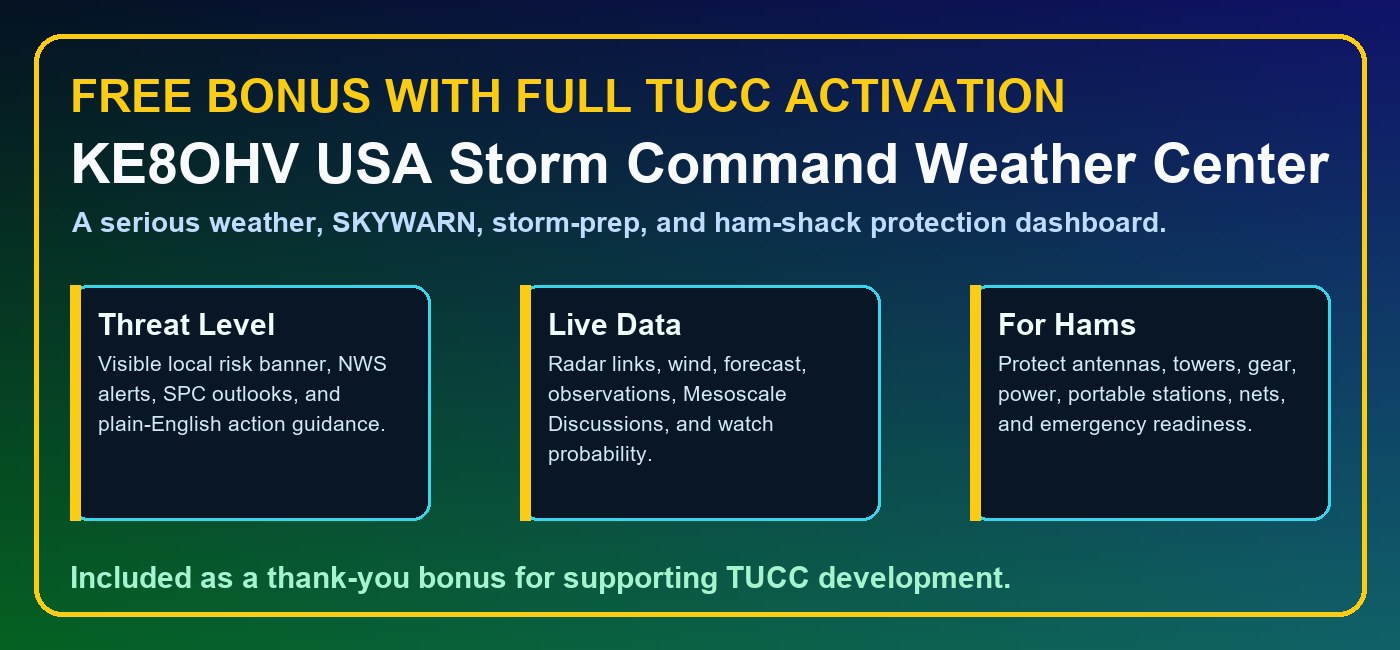
    Bonus: The KE8OHV Ultimate Propagation Command Center is included free with TUCC software activation.

    How to download from Google Drive
    1. Click the Free Trial Download button above. A Google Drive folder will open in a new browser tab.
    2. Look for the KE8OHV Ultimate Command Center setup file. It will usually end with .exe.
    3. Single-click the setup file to select it, then click the Download arrow near the top of Google Drive. You can also right-click the setup file and choose Download.
    4. If Google Drive says it cannot scan the file for viruses because the file is large, choose Download anyway. The program has been tested and scanned before release.
    5. After the download finishes, open the file from your browser downloads area or your Windows Downloads folder, then follow the installer screens.
    Tip for operators who are not comfortable with computers: open the Read Me First page before installing. It explains what to expect from Windows security prompts and the license agreement screen.
    Future Platform Development

    Mac, Linux, and tablet versions are part of the long-term vision.

    KE8OHV Ultimate Command Center Windows Version 2.3.5 is the current release because Windows gives the strongest foundation today for serial CAT control, rig communication, local database support, installer packaging, and the advanced module system.

    Future Mac, Linux, and tablet editions are a major development goal, but they require serious research, programming, testing, debugging, interface redesign, hardware testing, and cross-platform rig-control work. Donations and continued community support help fund that engineering effort while keeping the Windows version moving forward.

    MacFuture research for Apple desktop and laptop operators.
    LinuxFuture research for shack computers, technical operators, and open systems.
    TabletsFuture research for portable, mobile, and touch-friendly operation.
    This roadmap is not a simple file conversion. It means rebuilding and testing major parts of the Command Center so operators on other platforms can get a reliable, polished, ham-radio-ready experience.
    Free Bonus: KE8OHV Propagation Command Center With TUCC Software Activation

    Activate TUCC and receive the KE8OHV Ultimate Propagation Command Center link as a free bonus tool.

    This bonus Windows program is built for all hams, not just one station. It includes live NOAA and HamQSL propagation data, band-by-band operating guidance, path planning, greyline/world clocks, beacon checks, smart alerts, report saving, radio brand/model dropdowns, and built-in walkthrough screens.

    All-Ham Radio Setup

    Brand and model-family dropdowns for Kenwood, Icom, Yaesu, Elecraft, FlexRadio, and bridge/helper workflows such as FLRig, Hamlib, OmniRig, and Commander.

    Propagation Dashboard

    Solar flux, Kp, A index, X-ray/flare guidance, NOAA space weather, and practical HF/VHF band recommendations in one place.

    Built-In Walkthrough

    Walkthrough screens explain the dashboard, band forecast, path planner, space weather, greyline, beacons, reports, and CAT setup families.

    Support Continued Development

    KE8OHV Ultimate Command Center V2.3.5 Revision A is provided with a 30-day trial so operators can install it, explore the features, test it in their own shack environment, and make sure it fits their operating needs.

    After the 30-day trial period, continued use of the software requires a $50.00 support donation. Your donation helps support ongoing development, research, testing, improvements, documentation, accessibility features, and future versions of the Ultimate Command Center.

    Donations also help make future expansion possible, including continued research, programming, and testing toward future cross-platform editions for Mac, Linux, and tablet users. The current release is focused on delivering the strongest Windows-based Command Center experience first, while support from the amateur radio community helps fund the work needed to bring this same level of capability to additional operating systems over time.

    Thank you for supporting independent amateur radio software built by a ham, for hams.

    PayPalKE8OHV@USA.COM
    Venmo@Edward-Vernier
    Cash App$usarmysniper